Releases

We're constantly improving piplanning.io. Browse the complete history of updates, enhancements, and new features across all past releases.
Filter by topic:

Highlight of active PI Planning session

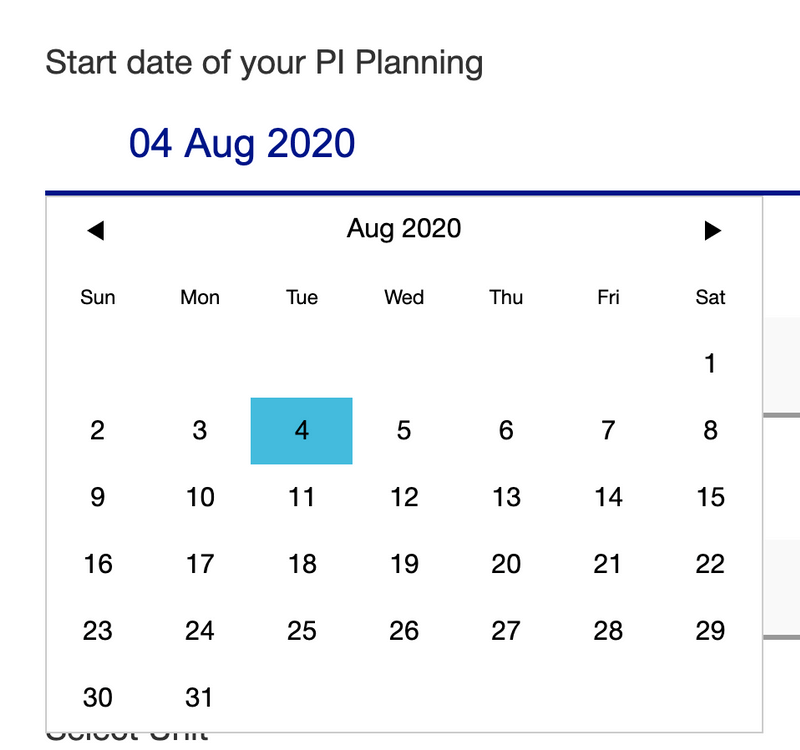
As an RTE at the first step of the session creation "General" you can set a date for your PI Planning. As soon as the day is approaching, in the piplanning app the PI Planning session will be highlighted in grey.
May 14th, 2020

Highlight of active PI Planning session

As an RTE at the first step of the session creation "General" you can set a date for your PI Planning. As soon as the day is approaching, in the piplanning app the PI Planning session will be highlighted in grey.
May 14th, 2020

Highlight of active PI Planning session

The PI Planning Sessions whose dates are current are highlighted in gray. The RTE sets this date in the RTE Cockpit. It usually corresponds to the first day on which PI Planning starts.
May 14th, 2020

Highlight of active PI Planning session

The PI Planning Sessions whose dates are current are highlighted in gray. The RTE sets this date in the RTE Cockpit. It usually corresponds to the first day on which PI Planning starts.
May 14th, 2020

April Cloud feature overview

Learn in this video what we released in April 2020 for the Cloud RTE Cockpit
May 5th, 2020

April Cloud feature overview

Learn in this video what we released in April 2020 for the Cloud RTE Cockpit
May 5th, 2020

April Cloud feature overview

Learn in this video what we released in April 2020 for the Cloud piplanning app.
May 5th, 2020

April Cloud feature overview

Learn in this video what we released in April 2020 for the Cloud piplanning app.
May 5th, 2020

Search for stickers on boards

Finally it's here! Search for specific stickers like question marks, exclamation marks, dots, stars, check marks, etc. on the boards.
Apr 28th, 2020

Search for stickers on boards

Finally it's here! Search for specific stickers like question marks, exclamation marks, dots, stars, check marks, etc. on the boards.
Apr 28th, 2020

Sync Rally iteration by iteration

With Rally sync you can now manually synchronize single iterations. So you don't have to stop and restart the whole sync from the RTE Cockpit. The teams can manage this themselves on team level.
Apr 24th, 2020

Sync Rally iteration by iteration

With Rally sync you can now manually synchronize single iterations. So you don't have to stop and restart the whole sync from the RTE Cockpit. The teams can manage this themselves on team level.
Apr 24th, 2020

Rename velocity to capacity

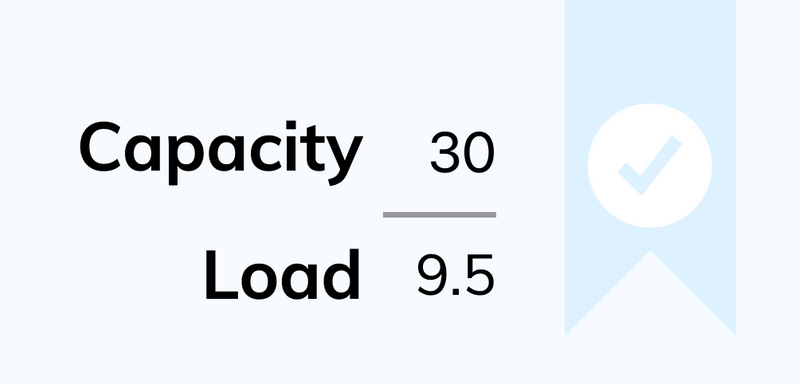
New is the Velocity on the boards Capacity.
Apr 18th, 2020

Rename velocity to capacity

New is the Velocity on the boards Capacity.
Apr 18th, 2020

Allow teams to access session they are not part of

Under Teams you can now assign teams to a session without giving them a Team Board. This way you can also create e.g. a Solution session that allows you to visualize dependencies between ARTs.
Apr 18th, 2020

Allow teams to access session they are not part of

Under Teams you can now assign teams to a session without giving them a Team Board. This way you can also create e.g. a Solution session that allows you to visualize dependencies between ARTs.
Apr 18th, 2020

Hide search and arrange button

Via the help window you can hide the buttons for board search and to sort the stickies on the board. With the shortcuts [control + A] you can turn "Arrange" on and off and when you press [/] on the keyboard the search will open.
Apr 15th, 2020

Hide search and arrange button

Via the help window you can hide the buttons for board search and to sort the stickies on the board. With the shortcuts [control + A] you can turn "Arrange" on and off and when you press [/] on the keyboard the search will open.
Apr 15th, 2020

Search in link window

In the link window to link a sticky to a Program Backlog Board sticky, just start typing and find the desired entry within seconds. Because now you have a Search available!
Apr 10th, 2020

Search in link window

In the link window to link a sticky to a Program Backlog Board sticky, just start typing and find the desired entry within seconds. Because now you have a Search available!
Apr 10th, 2020

Release version 2.2

This release includes all the features from previous Cloud releases.
Apr 5th, 2020

Release version 2.2

This release includes all the features from previous Cloud releases.
Apr 5th, 2020

Select multiple sticky notes

Select multiple sticky notes and take action on them at a time. It is a great help when you're working with tons of sticky notes, right? As soon as more than one sticky is selected you can move them to another position, align them vertically or horizontally, or link them to sticky notes or team objectives. Brilliant, isn’t it?
Dec 7th, 2022

Select multiple sticky notes

Select multiple sticky notes and take action on them at a time. It is a great help when you're working with tons of sticky notes, right? As soon as more than one sticky is selected you can move them to another position, align them vertically or horizontally, or link them to sticky notes or team objectives. Brilliant, isn’t it?
Dec 7th, 2022

Link multiple sticky notes to Objectives

A handy solution is to link sticky notes to Team Objectives that help to achieve the specific Objective. Instead of linking each sticky note to the Objectives one by one, you can do it all at once thanks to the multiple sticky note selection function. Then click on the Objective to see the associated notes highlighted.
Dec 7th, 2022

Link multiple sticky notes to Objectives

A handy solution is to link sticky notes to Team Objectives that help to achieve the specific Objective. Instead of linking each sticky note to the Objectives one by one, you can do it all at once thanks to the multiple sticky note selection function. Then click on the Objective to see the associated notes highlighted.
Dec 7th, 2022

Work on the board while filtering is active

It is now possible to work freely with the results filtered in the search bar. Edit or move the sticky notes, and when you're done, delete the filter criteria so that you can work in the full workspace again.
Nov 2nd, 2022

Work on the board while filtering is active

It is now possible to work freely with the results filtered in the search bar. Edit or move the sticky notes, and when you're done, delete the filter criteria so that you can work in the full workspace again.
Nov 2nd, 2022

Share filtered search results

If you want to talk through certain sticky notes, be specific by sending your team members which sticky notes you are talking about. You can do this simply. For instance filter out sticky notes with a pending status that belongs to your Scrum Master. Copy the link of the search result from the URL bar and send it to the Scrum Master. Now he/she can see the exact sticky note you want to point to.
Oct 12th, 2022

Share filtered search results

If you want to talk through certain sticky notes, be specific by sending your team members which sticky notes you are talking about. You can do this simply. For instance filter out sticky notes with a pending status that belongs to your Scrum Master. Copy the link of the search result from the URL bar and send it to the Scrum Master. Now he/she can see the exact sticky note you want to point to.
Oct 12th, 2022

New session selector & nav bar

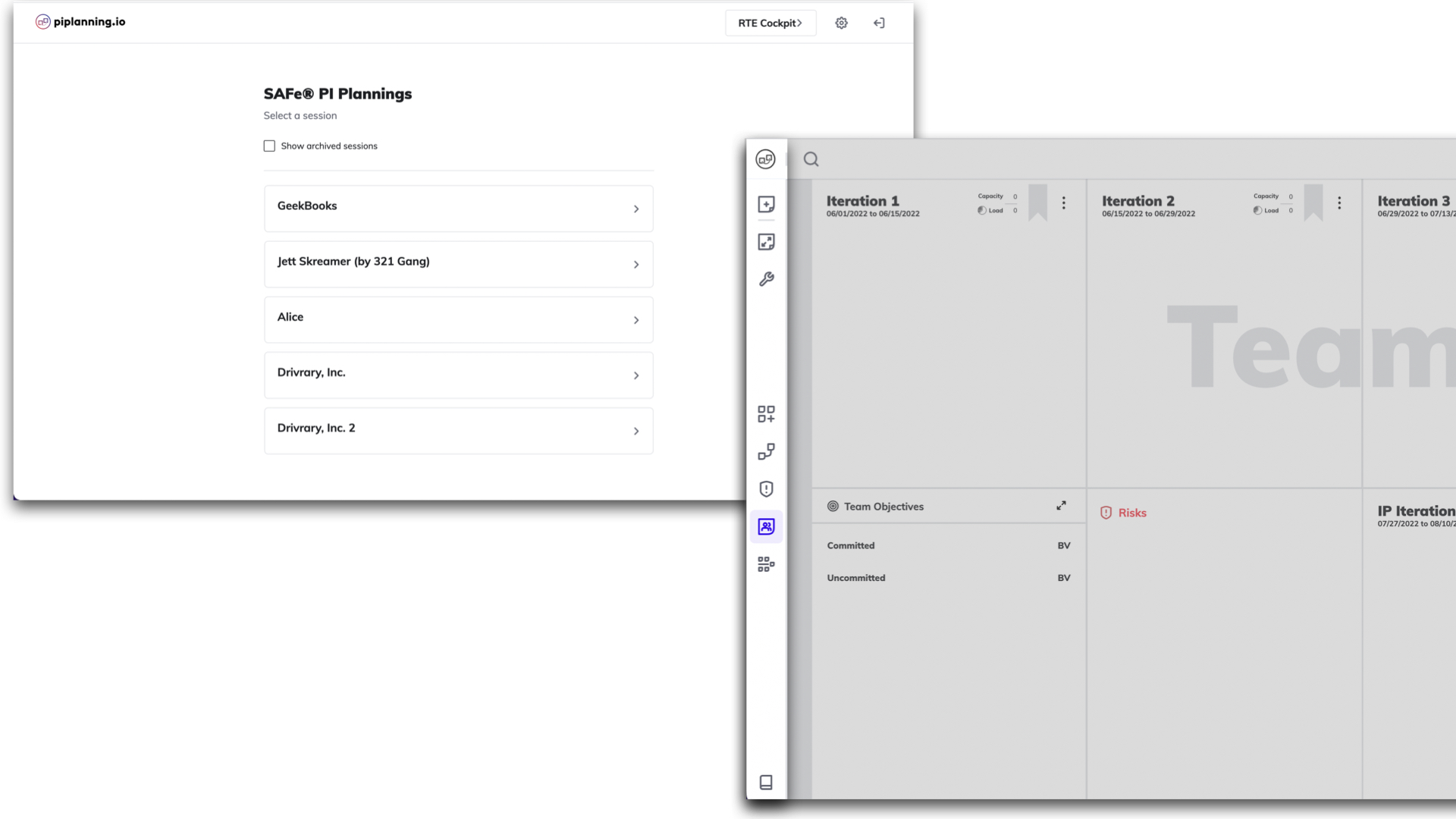
You will find a cleaner and more transparent renewed session selector after logging in. We have also revamped the navigation bar, which includes a new element called facilitation. From here you can access the timer and progress display.
Oct 5th, 2022

New session selector & nav bar

You will find a cleaner and more transparent renewed session selector after logging in. We have also revamped the navigation bar, which includes a new element called facilitation. From here you can access the timer and progress display.
Oct 5th, 2022

Filtering for status

Do you want to know which tasks still need time and which ones are not ready yet? When searching, filter by sticky notes with to-do and in-progress statuses. You will immediately see which tasks are still to be done.
Oct 3rd, 2022

Filtering for status

Do you want to know which tasks still need time and which ones are not ready yet? When searching, filter by sticky notes with to-do and in-progress statuses. You will immediately see which tasks are still to be done.
Oct 3rd, 2022

Status on Features

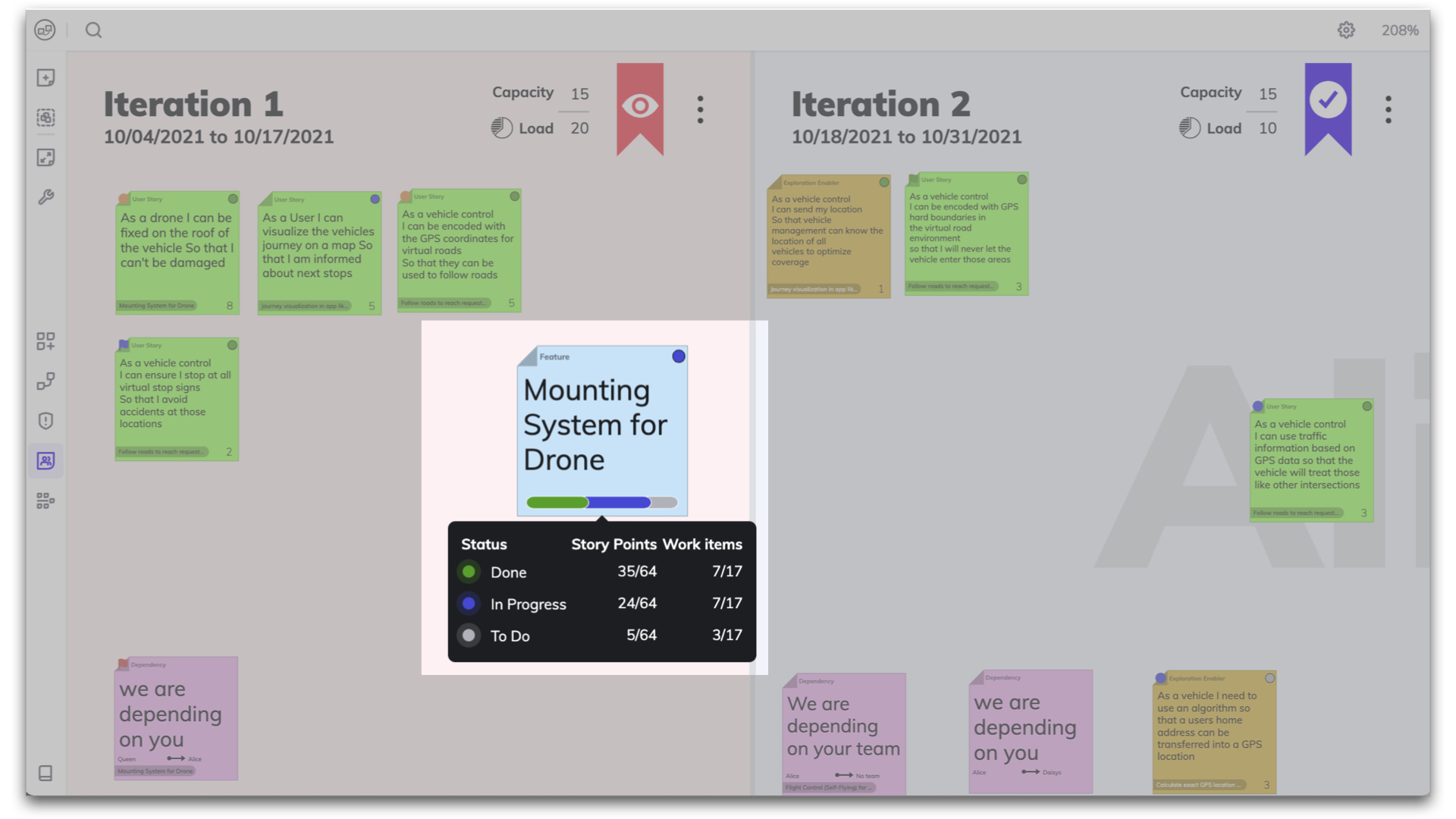
Track the progress of your feature by hovering over the progress bar to see the status of the sticky notes in a mini report. ⚪ To Do | 🔵 In Progress | 🟢 Done.
Sep 27th, 2022

Status on Features

Track the progress of your feature by hovering over the progress bar to see the status of the sticky notes in a mini report. ⚪ To Do | 🔵 In Progress | 🟢 Done.
Sep 27th, 2022

Track progress on Objectives

Based on the status of your linked work items you can now easily track progress on your Objectives. You will now have an even better overview of the processes in your Program Increment.
Aug 31st, 2022

Track progress on Objectives

Based on the status of your linked work items you can now easily track progress on your Objectives. You will now have an even better overview of the processes in your Program Increment.
Aug 31st, 2022

Status sync with ALM tools

To avoid unnecessary manual work, when the status of a user story changes, it is automatically updated back and forth between piplanning.io and other ALM tools like Jira, Rally or Microsoft Azure DevOps.
Aug 24th, 2022

Status sync with ALM tools

To avoid unnecessary manual work, when the status of a user story changes, it is automatically updated back and forth between piplanning.io and other ALM tools like Jira, Rally or Microsoft Azure DevOps.
Aug 24th, 2022

Link User Stories to Objectives

It is now possible to link User Stories to Team Objectives on the Team Board. Click on the link at the bottom of the sticky note you want to link, then select the desired Objective from the options listed.
Jul 27th, 2022

Link User Stories to Objectives

It is now possible to link User Stories to Team Objectives on the Team Board. Click on the link at the bottom of the sticky note you want to link, then select the desired Objective from the options listed.
Jul 27th, 2022

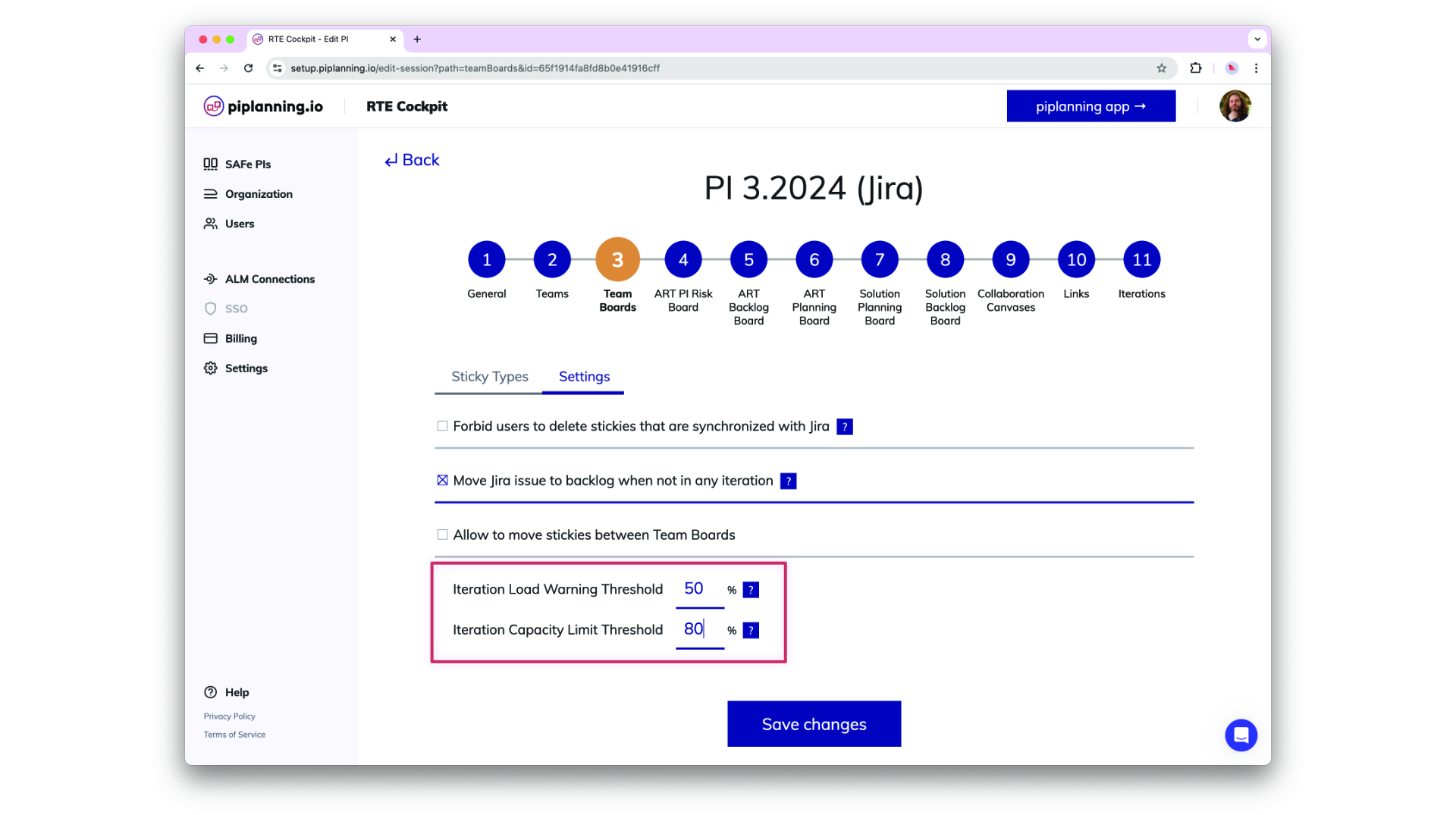
Load Warning and Capacity Limit Threshold

Load Warning and Capacity Limit Theshol are now configurable in the RTE Cockpit under the Team Board configuration
Dec 2nd, 2024

Load Warning and Capacity Limit Threshold

Load Warning and Capacity Limit Theshol are now configurable in the RTE Cockpit under the Team Board configuration
Dec 2nd, 2024

Updated Permissions for PI-Admin Role in ARTs and Solution Trains

PI-Admins can now be assigned to specific ARTs and Solution Trains (STs), extending their permissions to manage teams, ARTs, and STs based on their assignments. This change enhances control over visibility and editing capabilities in the RTE Cockpit. Important: When a user’s role is modified, the system retains their ART/ST associations but adjusts permissions accordingly. Please be aware that this is a breaking change, and further guidance on managing these new permissions will be provided in our documentation.
Nov 6th, 2024

Updated Permissions for PI-Admin Role in ARTs and Solution Trains

PI-Admins can now be assigned to specific ARTs and Solution Trains (STs), extending their permissions to manage teams, ARTs, and STs based on their assignments. This change enhances control over visibility and editing capabilities in the RTE Cockpit. Important: When a user’s role is modified, the system retains their ART/ST associations but adjusts permissions accordingly. Please be aware that this is a breaking change, and further guidance on managing these new permissions will be provided in our documentation.
Nov 6th, 2024

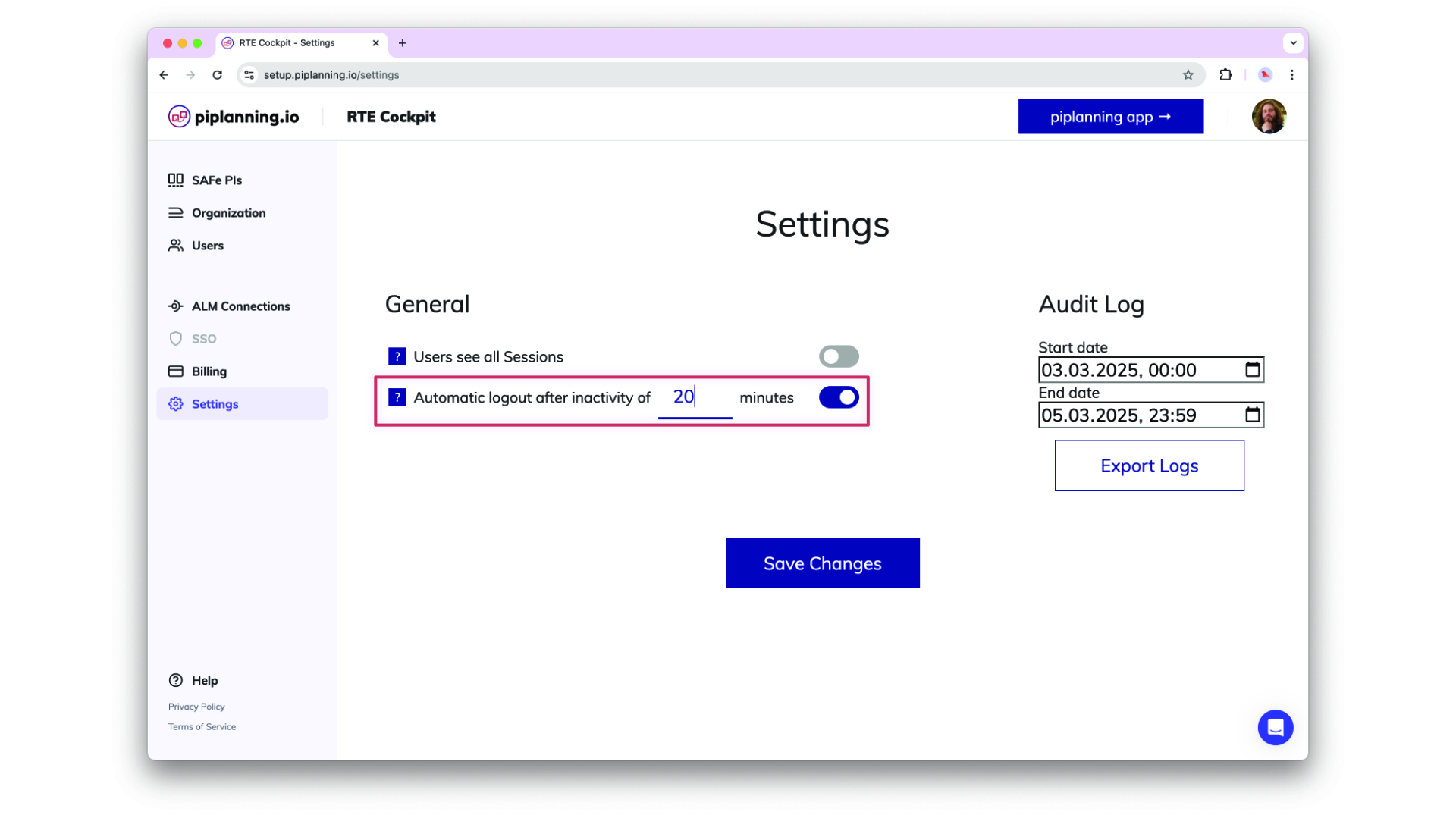
Automatic Logout After Inactivity

Helping organizsations meet compliance needs, admins can optionally adjust an inactivity timeout in the cockpit settings after which users get automatically logged out. This functionality detects mouse and keyboard activity, ensuring that only active sessions remain logged in.
Oct 24th, 2024

Automatic Logout After Inactivity

Helping organizsations meet compliance needs, admins can optionally adjust an inactivity timeout in the cockpit settings after which users get automatically logged out. This functionality detects mouse and keyboard activity, ensuring that only active sessions remain logged in.
Oct 24th, 2024

Enhance ART Backlog Board synch filtering by more fields

ART backlog issues in Jira can now be filtered by additional field types beyond labels, these are FixVersion, Component, Single-select (customfield), and Multi-select (customfield). This does simplify your configuration and providing greater flexibility in synchronizing your ART backlog.
Sep 18th, 2024

Enhance ART Backlog Board synch filtering by more fields

ART backlog issues in Jira can now be filtered by additional field types beyond labels, these are FixVersion, Component, Single-select (customfield), and Multi-select (customfield). This does simplify your configuration and providing greater flexibility in synchronizing your ART backlog.
Sep 18th, 2024

Map Microsoft Azure AD Groups to Teams with OIDC

You can now setup your team by mapping Microsoft Azure AD groups directly to teams using OIDC. This feature allows for efficient team management and synchronization with your organization's AD structure, making user and team onboarding quicker and more consistent.
Sep 3rd, 2024

Map Microsoft Azure AD Groups to Teams with OIDC

You can now setup your team by mapping Microsoft Azure AD groups directly to teams using OIDC. This feature allows for efficient team management and synchronization with your organization's AD structure, making user and team onboarding quicker and more consistent.
Sep 3rd, 2024

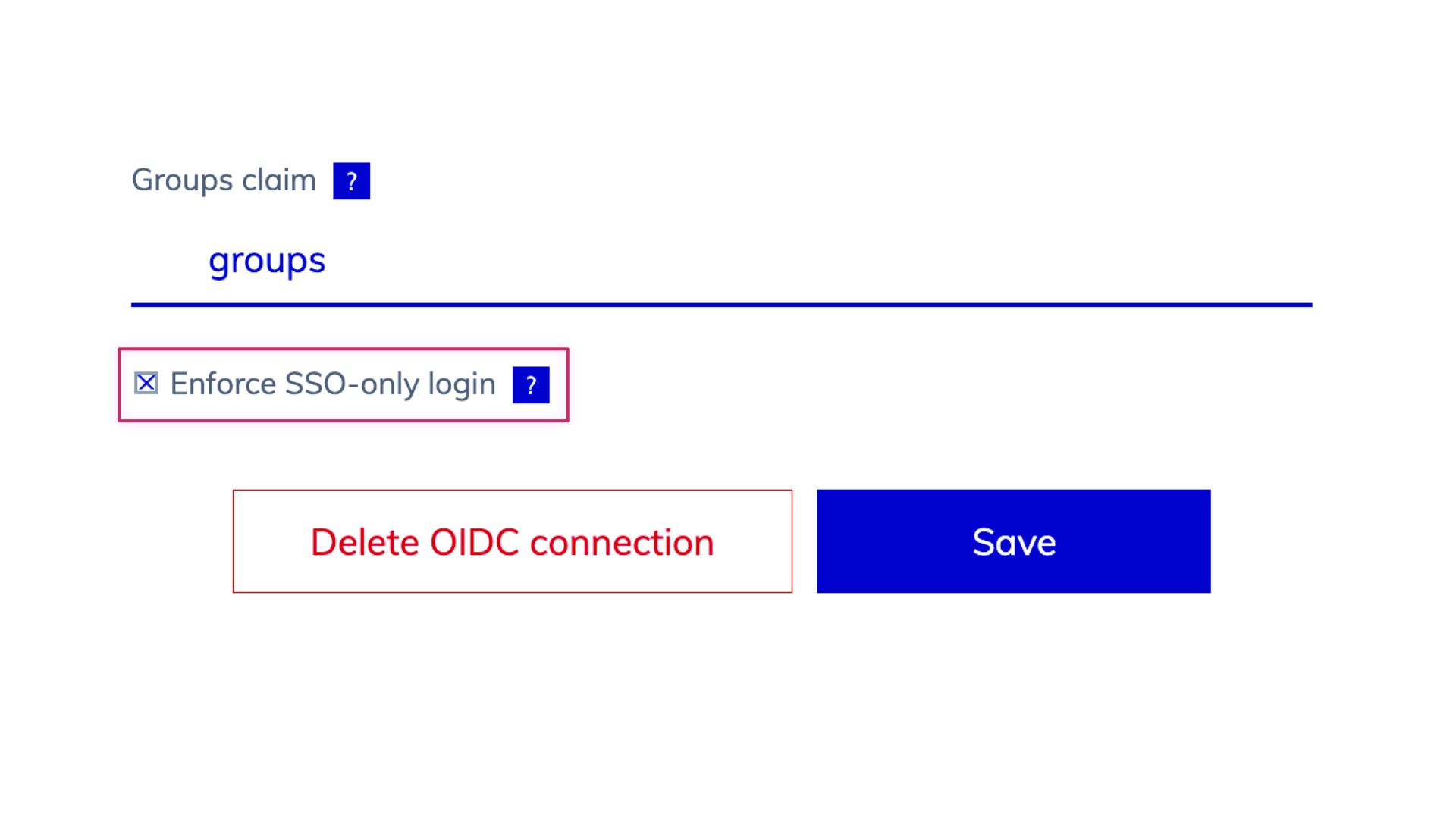
Enhanced SSO-Only Mode and Login Flexibility

We’ve updated the login behavior for environments with SSO enabled. When SSO-only is active, username and password options are hidden, and user management is streamlined, allowing admins to add users via team assignments but removing password reset options. When SSO is off, login fields for username and password, password resets, and user invitations via email are available, offering greater flexibility in user management.
Aug 25th, 2024

Enhanced SSO-Only Mode and Login Flexibility

We’ve updated the login behavior for environments with SSO enabled. When SSO-only is active, username and password options are hidden, and user management is streamlined, allowing admins to add users via team assignments but removing password reset options. When SSO is off, login fields for username and password, password resets, and user invitations via email are available, offering greater flexibility in user management.
Aug 25th, 2024

Support for ADO XML Process Templates

piplanning.io now supports Azure DevOps (ADO) instances (on-prem) using XML process templates, enabling seamless bidirectional sync of work item statuses. By refining the integration to exclude unused properties like custom rules, this update improves compatibility with XML process templates while maintaining clear logging of any API errors due to custom rules for admin visibility in ALM Events.
Aug 14th, 2024

Support for ADO XML Process Templates

piplanning.io now supports Azure DevOps (ADO) instances (on-prem) using XML process templates, enabling seamless bidirectional sync of work item statuses. By refining the integration to exclude unused properties like custom rules, this update improves compatibility with XML process templates while maintaining clear logging of any API errors due to custom rules for admin visibility in ALM Events.
Aug 14th, 2024

User Data Export for Compliance

Admins can now export a comprehensive list of all users within their company as an XLSX or CSV file. The export includes user details such as ID, email, name, role, teams, last login, and SSO linkage, supporting compliance needs with easy access to user data.
Aug 12th, 2024

User Data Export for Compliance

Admins can now export a comprehensive list of all users within their company as an XLSX or CSV file. The export includes user details such as ID, email, name, role, teams, last login, and SSO linkage, supporting compliance needs with easy access to user data.
Aug 12th, 2024

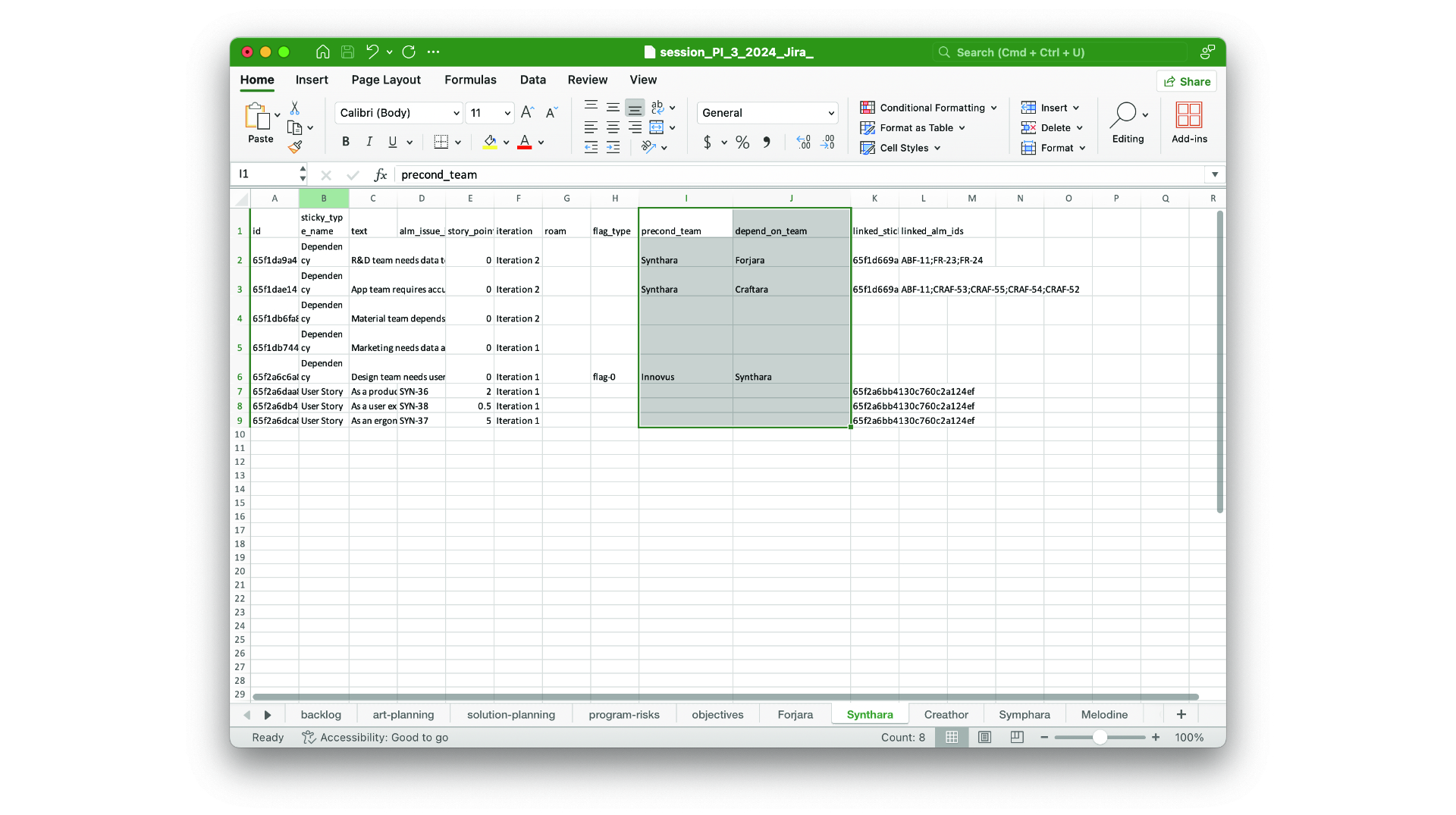
Involved teams on dependencies in xlsx export

The precond-team and depend-team you add on dependencies are now part of the xlsx session export.
Aug 7th, 2024

Involved teams on dependencies in xlsx export

The precond-team and depend-team you add on dependencies are now part of the xlsx session export.
Aug 7th, 2024

ART-Level Team Sync with Rally

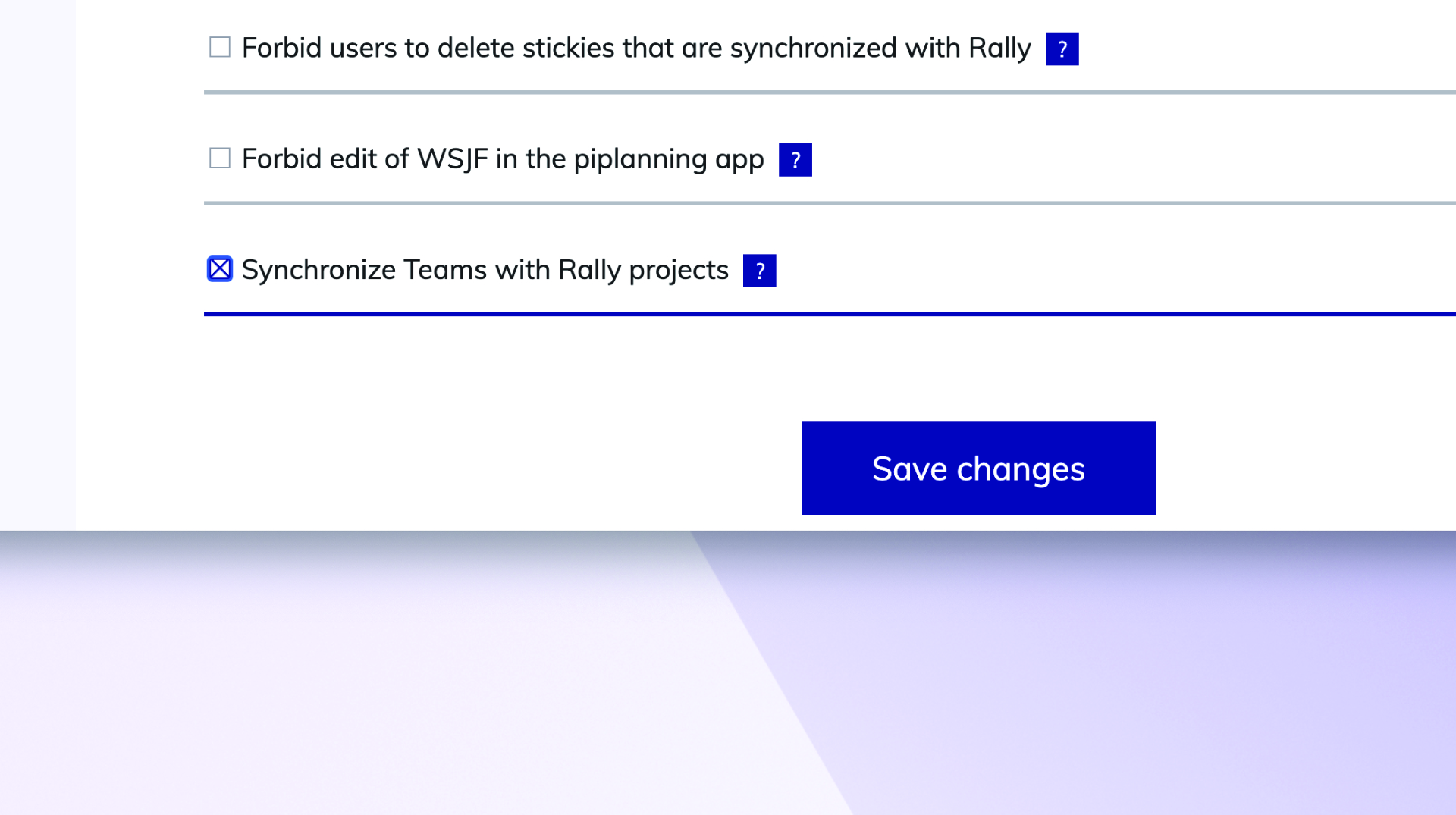
You can now synchronize the team-field (project) between Rally and piplanning.io ART-level sticky notes.
Jun 26th, 2024

ART-Level Team Sync with Rally

You can now synchronize the team-field (project) between Rally and piplanning.io ART-level sticky notes.
Jun 26th, 2024

Release version 2.18.0

This release includes all the features from previous Cloud releases.
Nov 20th, 2024

Release version 2.18.0

This release includes all the features from previous Cloud releases.
Nov 20th, 2024

Release version 2.17.0

This release includes all the features from previous Cloud releases.
Jun 25th, 2024

Release version 2.17.0

This release includes all the features from previous Cloud releases.
Jun 25th, 2024

Release version 2.16.0

This release includes all the features from previous Cloud releases.
May 16th, 2024

Release version 2.16.0

This release includes all the features from previous Cloud releases.
May 16th, 2024

Release version 2.15.0

This release includes all the features from previous Cloud releases.
Feb 6th, 2024

Release version 2.15.0

This release includes all the features from previous Cloud releases.
Feb 6th, 2024

Release version 2.14.0

This release includes all the features from previous Cloud releases.
May 24th, 2023

Release version 2.14.0

This release includes all the features from previous Cloud releases.
May 24th, 2023

Release version 2.12

This release includes all the features from previous Cloud releases.
Feb 16th, 2022

Release version 2.12

This release includes all the features from previous Cloud releases.
Feb 16th, 2022

Release version 2.11

This release includes all the features from previous Cloud releases.
Dec 28th, 2021

Release version 2.11

This release includes all the features from previous Cloud releases.
Dec 28th, 2021

Release version 2.10

This release includes all the features from previous Cloud releases.
Nov 17th, 2021

Release version 2.10

This release includes all the features from previous Cloud releases.
Nov 17th, 2021

Release version 2.9

This release includes all the features from previous Cloud releases.
Jul 7th, 2021

Release version 2.9

This release includes all the features from previous Cloud releases.
Jul 7th, 2021

Release version 2.3

This release includes all the features from previous Cloud releases.
May 19th, 2021

Release version 2.3

This release includes all the features from previous Cloud releases.
May 19th, 2021