Releases

We're constantly improving piplanning.io. Browse the complete history of updates, enhancements, and new features across all past releases.
Filter by topic:

Status sync with ALM tools

To avoid unnecessary manual work, when the status of a user story changes, it is automatically updated back and forth between piplanning.io and other ALM tools like Jira, Rally or Microsoft Azure DevOps.
Aug 24th, 2022

Status sync with ALM tools

To avoid unnecessary manual work, when the status of a user story changes, it is automatically updated back and forth between piplanning.io and other ALM tools like Jira, Rally or Microsoft Azure DevOps.
Aug 24th, 2022

Link User Stories to Objectives

It is now possible to link User Stories to Team Objectives on the Team Board. Click on the link at the bottom of the sticky note you want to link, then select the desired Objective from the options listed.
Jul 27th, 2022

Link User Stories to Objectives

It is now possible to link User Stories to Team Objectives on the Team Board. Click on the link at the bottom of the sticky note you want to link, then select the desired Objective from the options listed.
Jul 27th, 2022

Improved ALM troubleshooting

Lately, we added additional tools to help you to troubleshoot ALM connectivity issues. This allows you to narrow down the problem with your stuck Jira or ADO sync faster than ever before. We highlight connection issues for each PI Planning session and provide a detailed log for each ALM connection.
May 25th, 2022

Improved ALM troubleshooting

Lately, we added additional tools to help you to troubleshoot ALM connectivity issues. This allows you to narrow down the problem with your stuck Jira or ADO sync faster than ever before. We highlight connection issues for each PI Planning session and provide a detailed log for each ALM connection.
May 25th, 2022

New login page

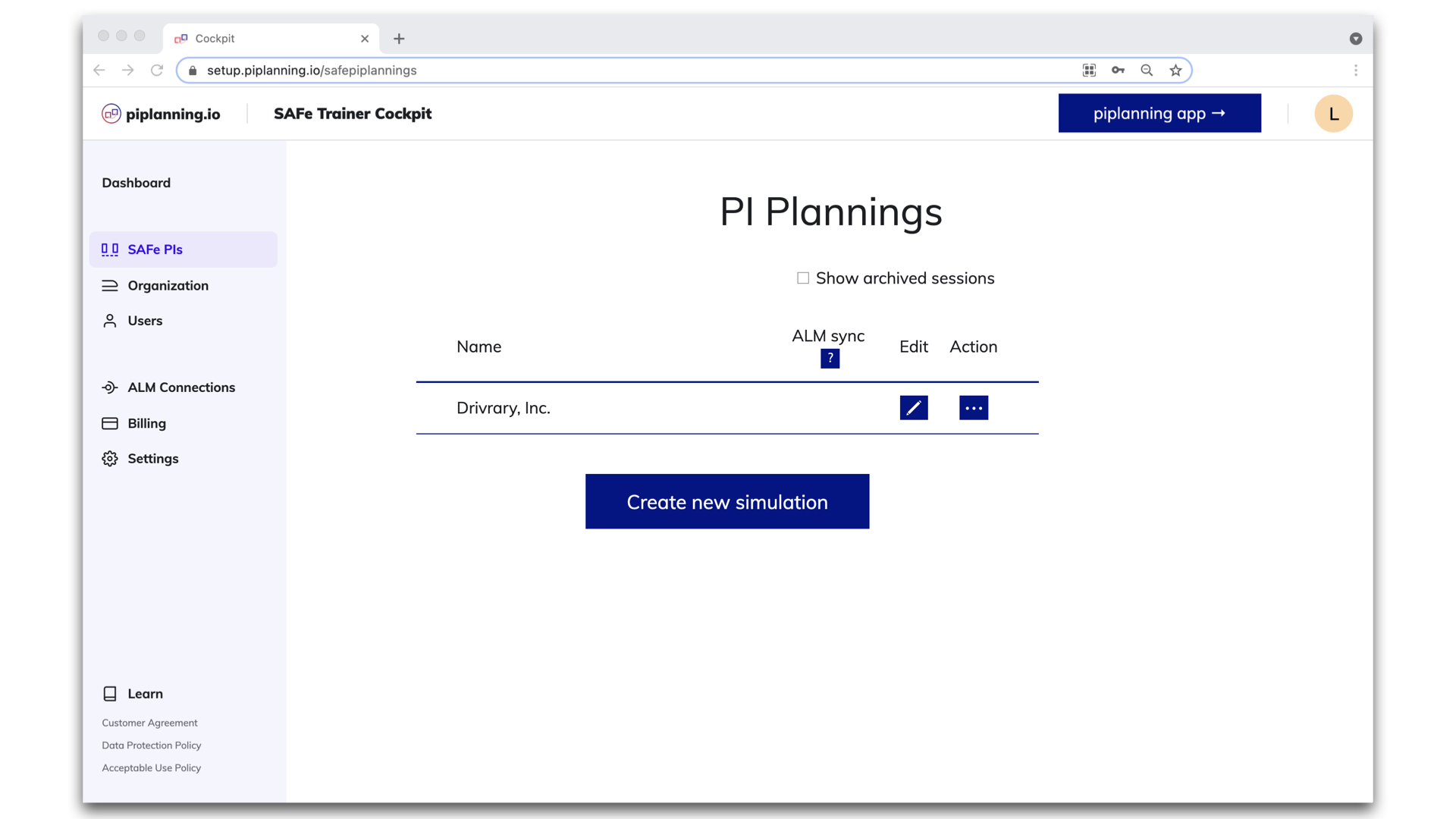
The login page in piplanning.io has been redesigned. After entering your email, select the account you want to use and you are in the familiar application.
May 18th, 2022

New login page

The login page in piplanning.io has been redesigned. After entering your email, select the account you want to use and you are in the familiar application.
May 18th, 2022

Sticky note functions

Sticky notes can have different functions in PI Planning. Therefore, in piplanning.io they have properties corresponding to the function. From now on, sticky notes with a work item function can also indicate the status of the task, which can be: to do, in progress, or done. In the case of those with note functions, we can make simple notes without unnecessary functions.
Mar 23rd, 2022

Sticky note functions

Sticky notes can have different functions in PI Planning. Therefore, in piplanning.io they have properties corresponding to the function. From now on, sticky notes with a work item function can also indicate the status of the task, which can be: to do, in progress, or done. In the case of those with note functions, we can make simple notes without unnecessary functions.
Mar 23rd, 2022

Timer on boards

The built-in timer helps you with timeboxing. You can configure it for the whole ART that will be visible on all boards. Or you can also set an individual timer for a specific Team Board. You can always see what time is still left. Pause or reset if it's needed. When the time is up, the alarm will sound for those to whom it is addressed.
Feb 16th, 2022

Timer on boards

The built-in timer helps you with timeboxing. You can configure it for the whole ART that will be visible on all boards. Or you can also set an individual timer for a specific Team Board. You can always see what time is still left. Pause or reset if it's needed. When the time is up, the alarm will sound for those to whom it is addressed.
Feb 16th, 2022

Release version 2.12

This release includes all the features from previous Cloud releases.
Feb 16th, 2022

Release version 2.12

This release includes all the features from previous Cloud releases.
Feb 16th, 2022

ART metrics on Program Board

By clicking on the small icon in the Program Board header, you can access reports such as Capacity Allocation and Load vs. Capacity. They help you plan your resources more accurately during your PI session.
Feb 16th, 2022

ART metrics on Program Board

By clicking on the small icon in the Program Board header, you can access reports such as Capacity Allocation and Load vs. Capacity. They help you plan your resources more accurately during your PI session.
Feb 16th, 2022

Redesigned RTE Cockpit navigation

You can enjoy new navigation in the RTE Cockpit. The menu got a cool design and the footer has been removed. We love it!
Feb 15th, 2022

Redesigned RTE Cockpit navigation

You can enjoy new navigation in the RTE Cockpit. The menu got a cool design and the footer has been removed. We love it!
Feb 15th, 2022

PI session name in title

When you edit a session, you know which one you're editing because the session name in the title is always visible whichever settings menu you are editing.
Feb 9th, 2022

PI session name in title

When you edit a session, you know which one you're editing because the session name in the title is always visible whichever settings menu you are editing.
Feb 9th, 2022

Profile menu

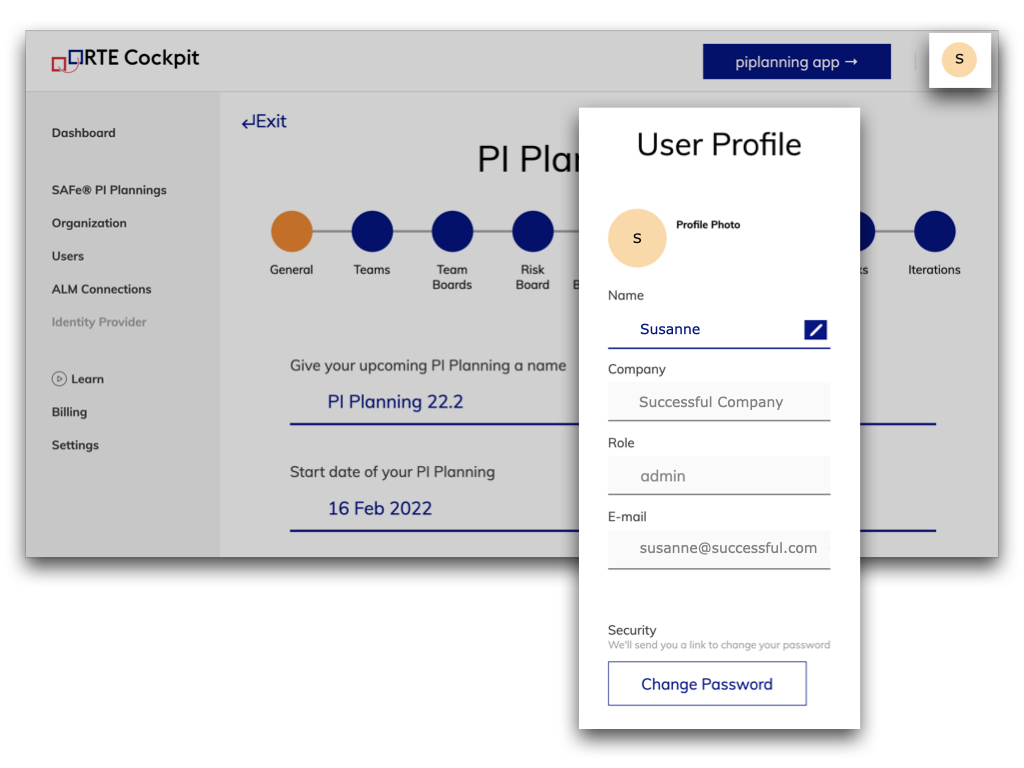
We added a Profile menu in the RTE Cockpit, where you can see some of your personal information. Here, you can change your name to the one you want your colleagues to call you. And here you can also change your password.
Feb 8th, 2022

Profile menu

We added a Profile menu in the RTE Cockpit, where you can see some of your personal information. Here, you can change your name to the one you want your colleagues to call you. And here you can also change your password.
Feb 8th, 2022

Overview where linked stickies are

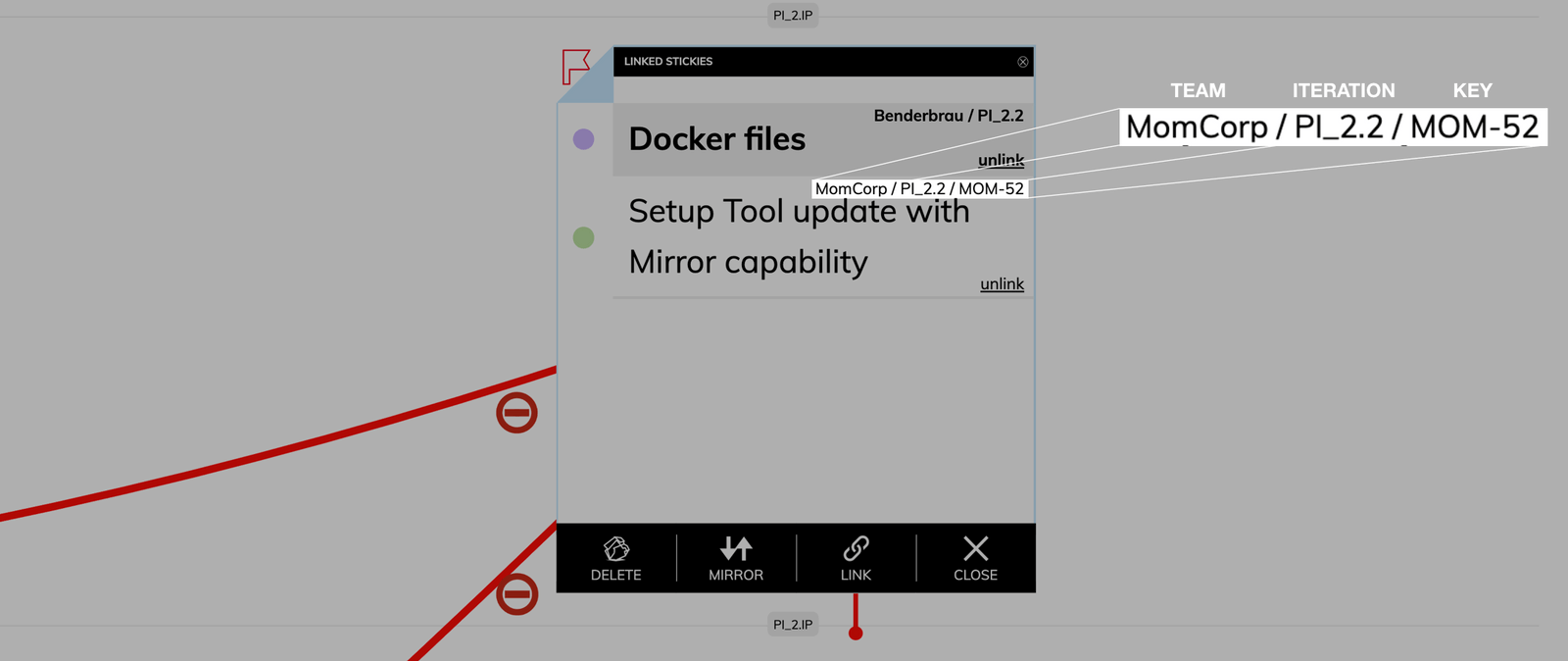
We just released a new feature that gives you a better overview. When clicking on the link icon where you find all the stickies that are linked to this particular sticky note you now also have the information which teams the stickies are assigned, in which iteration they sit and (if they are synced with an ALM tool) what ALM key they have.
Nov 16th, 2019

Overview where linked stickies are

We just released a new feature that gives you a better overview. When clicking on the link icon where you find all the stickies that are linked to this particular sticky note you now also have the information which teams the stickies are assigned, in which iteration they sit and (if they are synced with an ALM tool) what ALM key they have.
Nov 16th, 2019

Direct link to Jira or Rally

Click on the Jira issue key or Rally work item key in the upper right corner of the sticky note and you will be immediately redirected to the Jira issue or Rally work item.
Nov 10th, 2019

Direct link to Jira or Rally

Click on the Jira issue key or Rally work item key in the upper right corner of the sticky note and you will be immediately redirected to the Jira issue or Rally work item.
Nov 10th, 2019

Detailed information on iteration overview

The sticky notes you have in the Iteration Overview which you can access by double clicking an iteration has now all the information on the sticky notes you wanted. Makes it easy to present them to the team or stakeholders.
Oct 30th, 2019

Detailed information on iteration overview

The sticky notes you have in the Iteration Overview which you can access by double clicking an iteration has now all the information on the sticky notes you wanted. Makes it easy to present them to the team or stakeholders.
Oct 30th, 2019

Added sticky type to overview

Now you can also see what the sticky type of the stickies on the Program Backlog Board are. Furthermore is it possible now to sort the Program Backlog Board items overview by which teams are assigned to the sticky notes.
Oct 28th, 2019

Added sticky type to overview

Now you can also see what the sticky type of the stickies on the Program Backlog Board are. Furthermore is it possible now to sort the Program Backlog Board items overview by which teams are assigned to the sticky notes.
Oct 28th, 2019

Set own story points value

You don't plan with the Fibonacci sequence? No problem with this release. Now just click on the Story Points field and enter your own preferred value in the text field.
Oct 22nd, 2019

Set own story points value

You don't plan with the Fibonacci sequence? No problem with this release. Now just click on the Story Points field and enter your own preferred value in the text field.
Oct 22nd, 2019

New way to flag sticky notes

We removed the flag from the sticky note menu and added it to the upper left corner where you can click it to flag sticky notes.
Oct 14th, 2019

New way to flag sticky notes

We removed the flag from the sticky note menu and added it to the upper left corner where you can click it to flag sticky notes.
Oct 14th, 2019

Objective scale

Press the buttons in the lower left corner of the Objectives overview to upsize or downsize the Objectives. This gives you better readability when presenting them for example on a projector.
Oct 10th, 2019

Objective scale

Press the buttons in the lower left corner of the Objectives overview to upsize or downsize the Objectives. This gives you better readability when presenting them for example on a projector.
Oct 10th, 2019

LAUNCH OF WEBAPP! (beta)

Today is a big day! After countless hours of hard work we are finally ready to release the beta version of the piplanning app. When designing the new web-based version of the piplanning app we took all the customer feedback we got and all the learnings from the previous version and turned it into a beautiful and extremely intuitive new piplanning app version. Check it out yourself.
Oct 1st, 2019

LAUNCH OF WEBAPP! (beta)

Today is a big day! After countless hours of hard work we are finally ready to release the beta version of the piplanning app. When designing the new web-based version of the piplanning app we took all the customer feedback we got and all the learnings from the previous version and turned it into a beautiful and extremely intuitive new piplanning app version. Check it out yourself.
Oct 1st, 2019

Load Warning and Capacity Limit Threshold

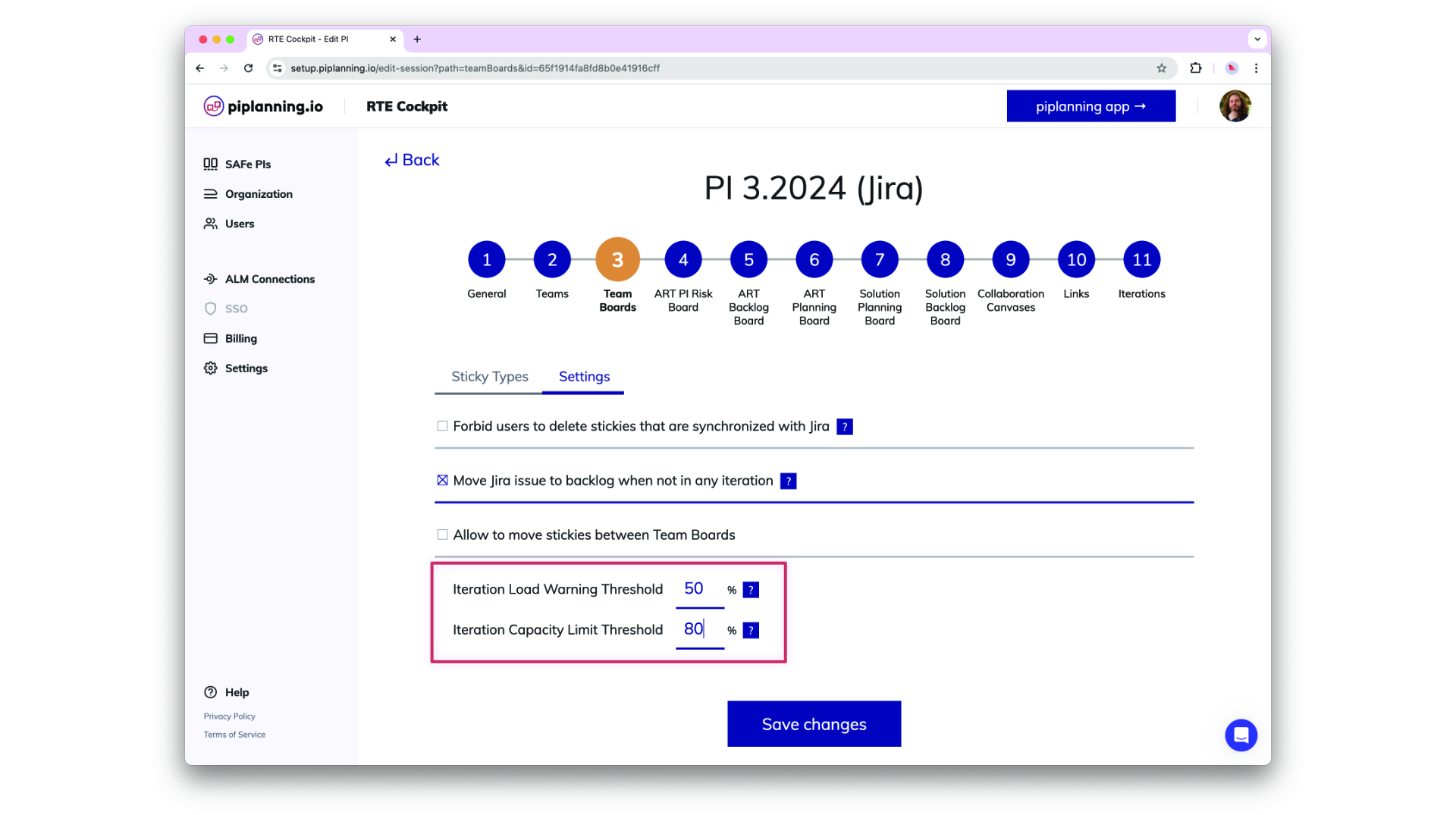
Load Warning and Capacity Limit Theshol are now configurable in the RTE Cockpit under the Team Board configuration
Dec 2nd, 2024

Load Warning and Capacity Limit Threshold

Load Warning and Capacity Limit Theshol are now configurable in the RTE Cockpit under the Team Board configuration
Dec 2nd, 2024

Updated Permissions for PI-Admin Role in ARTs and Solution Trains

PI-Admins can now be assigned to specific ARTs and Solution Trains (STs), extending their permissions to manage teams, ARTs, and STs based on their assignments. This change enhances control over visibility and editing capabilities in the RTE Cockpit. Important: When a user’s role is modified, the system retains their ART/ST associations but adjusts permissions accordingly. Please be aware that this is a breaking change, and further guidance on managing these new permissions will be provided in our documentation.
Nov 6th, 2024

Updated Permissions for PI-Admin Role in ARTs and Solution Trains

PI-Admins can now be assigned to specific ARTs and Solution Trains (STs), extending their permissions to manage teams, ARTs, and STs based on their assignments. This change enhances control over visibility and editing capabilities in the RTE Cockpit. Important: When a user’s role is modified, the system retains their ART/ST associations but adjusts permissions accordingly. Please be aware that this is a breaking change, and further guidance on managing these new permissions will be provided in our documentation.
Nov 6th, 2024

Automatic Logout After Inactivity

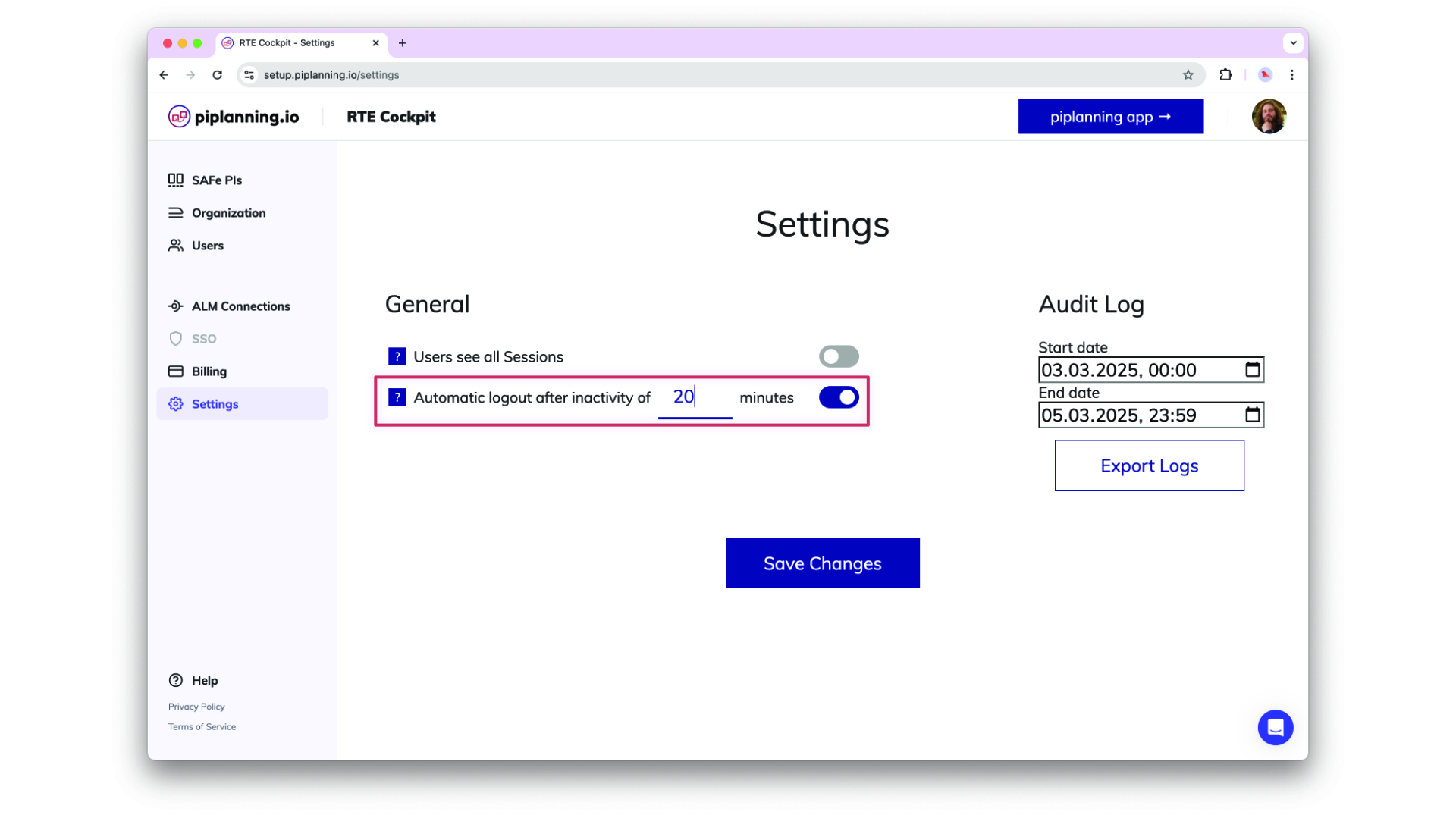
Helping organizsations meet compliance needs, admins can optionally adjust an inactivity timeout in the cockpit settings after which users get automatically logged out. This functionality detects mouse and keyboard activity, ensuring that only active sessions remain logged in.
Oct 24th, 2024

Automatic Logout After Inactivity

Helping organizsations meet compliance needs, admins can optionally adjust an inactivity timeout in the cockpit settings after which users get automatically logged out. This functionality detects mouse and keyboard activity, ensuring that only active sessions remain logged in.
Oct 24th, 2024

Enhance ART Backlog Board synch filtering by more fields

ART backlog issues in Jira can now be filtered by additional field types beyond labels, these are FixVersion, Component, Single-select (customfield), and Multi-select (customfield). This does simplify your configuration and providing greater flexibility in synchronizing your ART backlog.
Sep 18th, 2024

Enhance ART Backlog Board synch filtering by more fields

ART backlog issues in Jira can now be filtered by additional field types beyond labels, these are FixVersion, Component, Single-select (customfield), and Multi-select (customfield). This does simplify your configuration and providing greater flexibility in synchronizing your ART backlog.
Sep 18th, 2024

Map Microsoft Azure AD Groups to Teams with OIDC

You can now setup your team by mapping Microsoft Azure AD groups directly to teams using OIDC. This feature allows for efficient team management and synchronization with your organization's AD structure, making user and team onboarding quicker and more consistent.
Sep 3rd, 2024

Map Microsoft Azure AD Groups to Teams with OIDC

You can now setup your team by mapping Microsoft Azure AD groups directly to teams using OIDC. This feature allows for efficient team management and synchronization with your organization's AD structure, making user and team onboarding quicker and more consistent.
Sep 3rd, 2024

Enhanced SSO-Only Mode and Login Flexibility

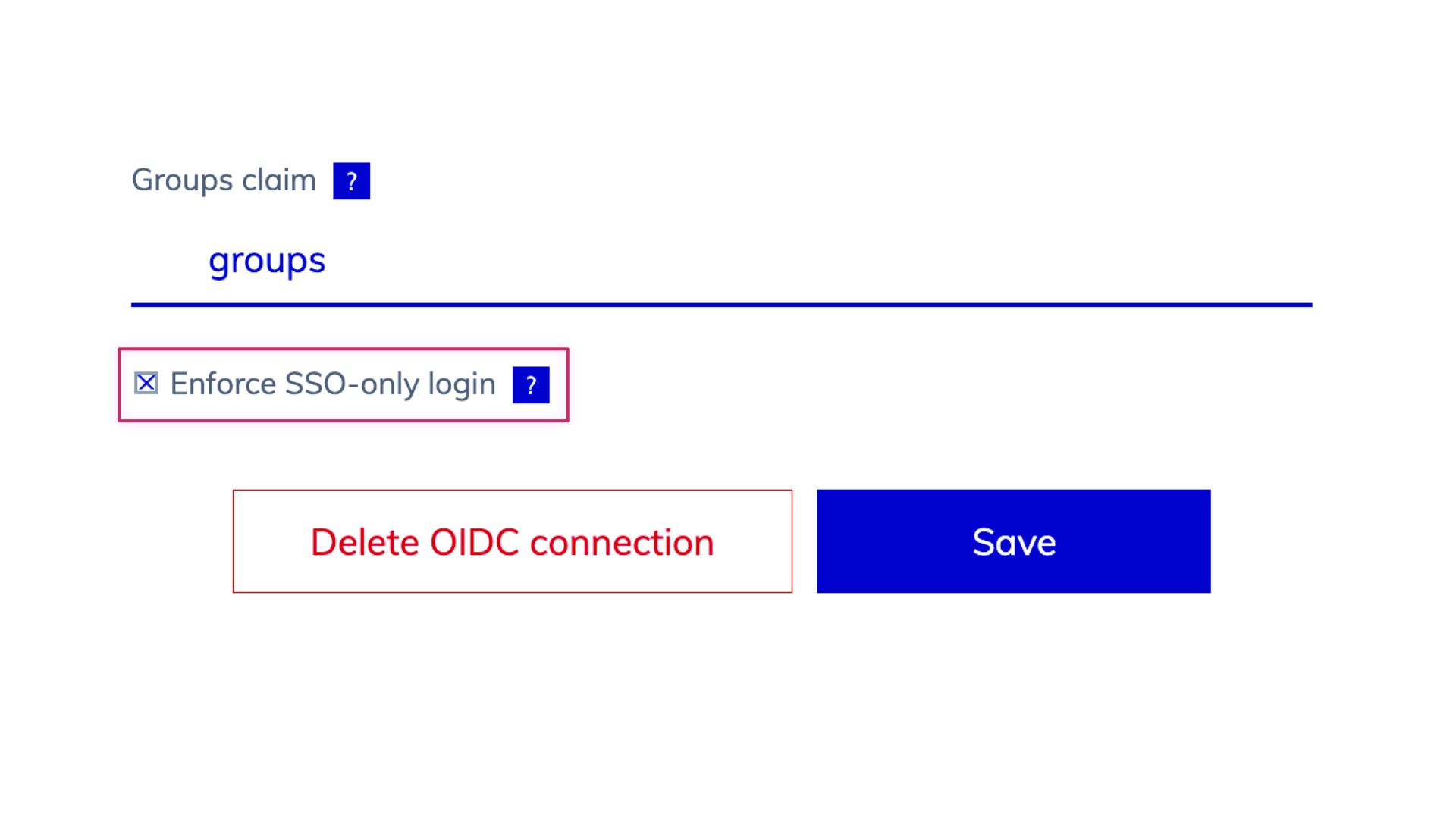
We’ve updated the login behavior for environments with SSO enabled. When SSO-only is active, username and password options are hidden, and user management is streamlined, allowing admins to add users via team assignments but removing password reset options. When SSO is off, login fields for username and password, password resets, and user invitations via email are available, offering greater flexibility in user management.
Aug 25th, 2024

Enhanced SSO-Only Mode and Login Flexibility

We’ve updated the login behavior for environments with SSO enabled. When SSO-only is active, username and password options are hidden, and user management is streamlined, allowing admins to add users via team assignments but removing password reset options. When SSO is off, login fields for username and password, password resets, and user invitations via email are available, offering greater flexibility in user management.
Aug 25th, 2024

Support for ADO XML Process Templates

piplanning.io now supports Azure DevOps (ADO) instances (on-prem) using XML process templates, enabling seamless bidirectional sync of work item statuses. By refining the integration to exclude unused properties like custom rules, this update improves compatibility with XML process templates while maintaining clear logging of any API errors due to custom rules for admin visibility in ALM Events.
Aug 14th, 2024

Support for ADO XML Process Templates

piplanning.io now supports Azure DevOps (ADO) instances (on-prem) using XML process templates, enabling seamless bidirectional sync of work item statuses. By refining the integration to exclude unused properties like custom rules, this update improves compatibility with XML process templates while maintaining clear logging of any API errors due to custom rules for admin visibility in ALM Events.
Aug 14th, 2024

User Data Export for Compliance

Admins can now export a comprehensive list of all users within their company as an XLSX or CSV file. The export includes user details such as ID, email, name, role, teams, last login, and SSO linkage, supporting compliance needs with easy access to user data.
Aug 12th, 2024

User Data Export for Compliance

Admins can now export a comprehensive list of all users within their company as an XLSX or CSV file. The export includes user details such as ID, email, name, role, teams, last login, and SSO linkage, supporting compliance needs with easy access to user data.
Aug 12th, 2024

Involved teams on dependencies in xlsx export

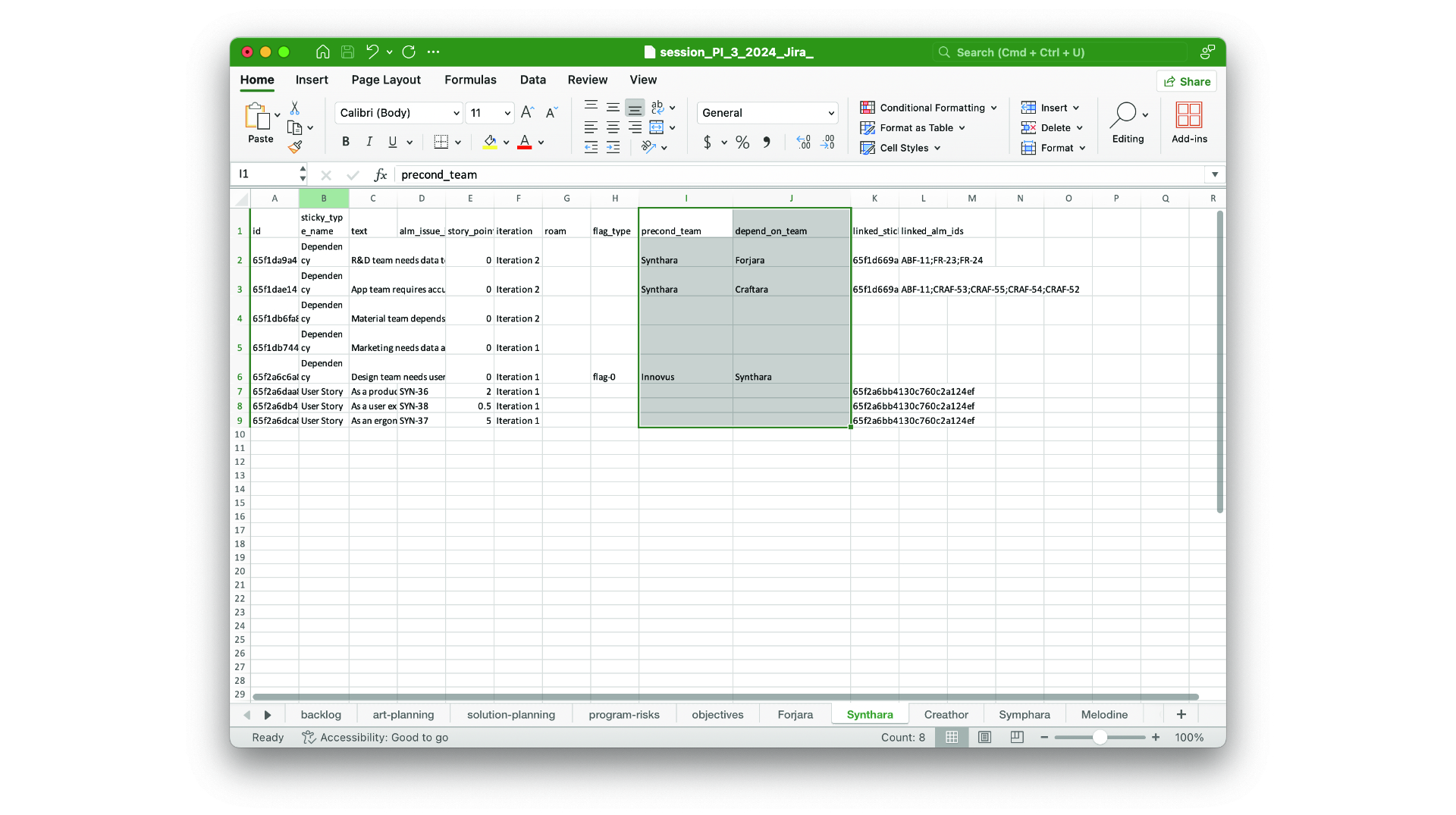
The precond-team and depend-team you add on dependencies are now part of the xlsx session export.
Aug 7th, 2024

Involved teams on dependencies in xlsx export

The precond-team and depend-team you add on dependencies are now part of the xlsx session export.
Aug 7th, 2024

ART-Level Team Sync with Rally

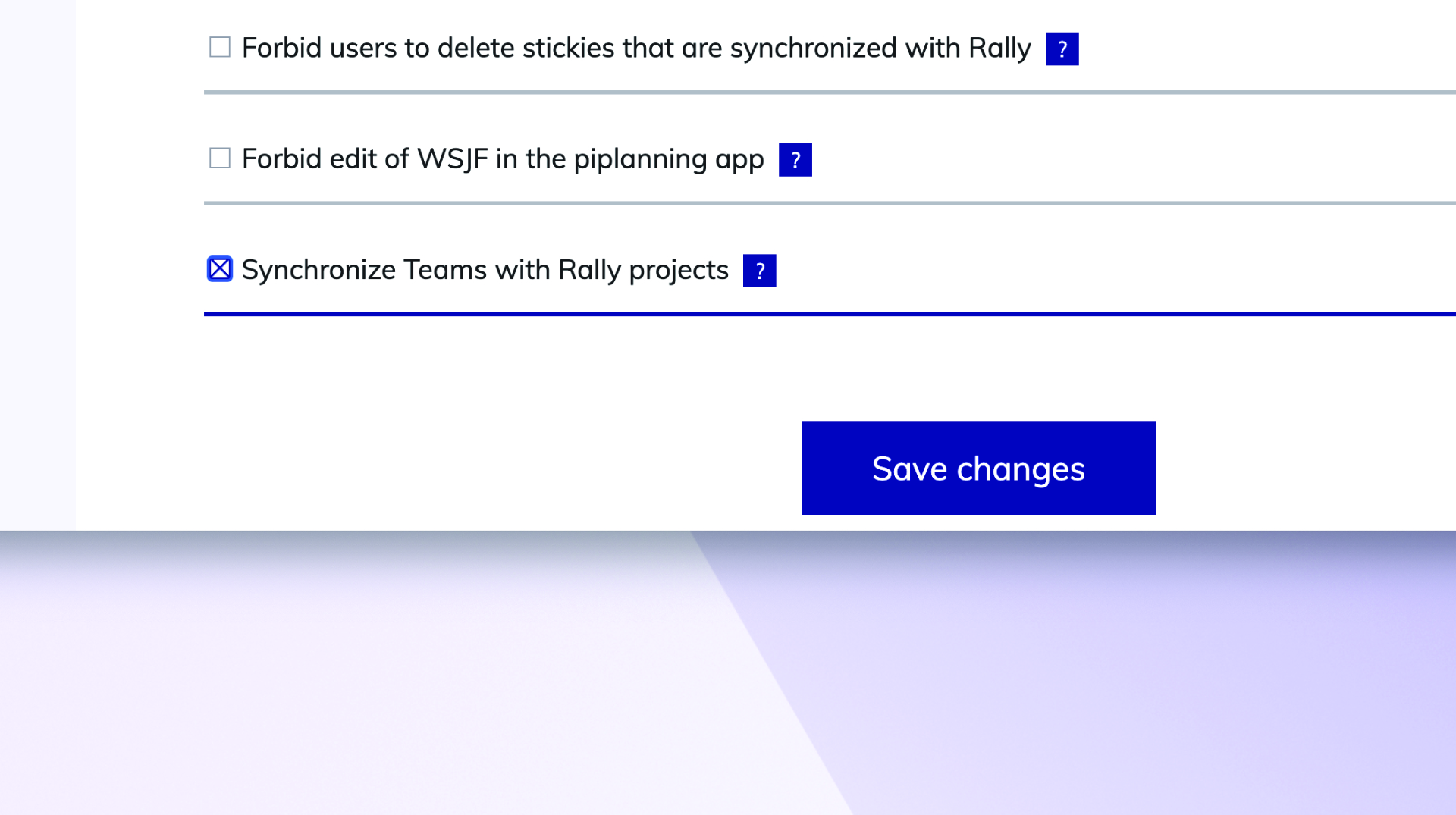
You can now synchronize the team-field (project) between Rally and piplanning.io ART-level sticky notes.
Jun 26th, 2024

ART-Level Team Sync with Rally

You can now synchronize the team-field (project) between Rally and piplanning.io ART-level sticky notes.
Jun 26th, 2024

Release version 2.18.0

This release includes all the features from previous Cloud releases.
Nov 20th, 2024

Release version 2.18.0

This release includes all the features from previous Cloud releases.
Nov 20th, 2024

Release version 2.17.0

This release includes all the features from previous Cloud releases.
Jun 25th, 2024

Release version 2.17.0

This release includes all the features from previous Cloud releases.
Jun 25th, 2024

Release version 2.16.0

This release includes all the features from previous Cloud releases.
May 16th, 2024

Release version 2.16.0

This release includes all the features from previous Cloud releases.
May 16th, 2024

Release version 2.15.0

This release includes all the features from previous Cloud releases.
Feb 6th, 2024

Release version 2.15.0

This release includes all the features from previous Cloud releases.
Feb 6th, 2024

Release version 2.14.0

This release includes all the features from previous Cloud releases.
May 24th, 2023

Release version 2.14.0

This release includes all the features from previous Cloud releases.
May 24th, 2023

Release version 2.12

This release includes all the features from previous Cloud releases.
Feb 16th, 2022

Release version 2.12

This release includes all the features from previous Cloud releases.
Feb 16th, 2022

Release version 2.11

This release includes all the features from previous Cloud releases.
Dec 28th, 2021

Release version 2.11

This release includes all the features from previous Cloud releases.
Dec 28th, 2021

Release version 2.10

This release includes all the features from previous Cloud releases.
Nov 17th, 2021

Release version 2.10

This release includes all the features from previous Cloud releases.
Nov 17th, 2021

Release version 2.9

This release includes all the features from previous Cloud releases.
Jul 7th, 2021

Release version 2.9

This release includes all the features from previous Cloud releases.
Jul 7th, 2021

Release version 2.3

This release includes all the features from previous Cloud releases.
May 19th, 2021

Release version 2.3

This release includes all the features from previous Cloud releases.
May 19th, 2021