Releases

We're constantly improving piplanning.io. Browse the complete history of updates, enhancements, and new features across all past releases.
Filter by topic:

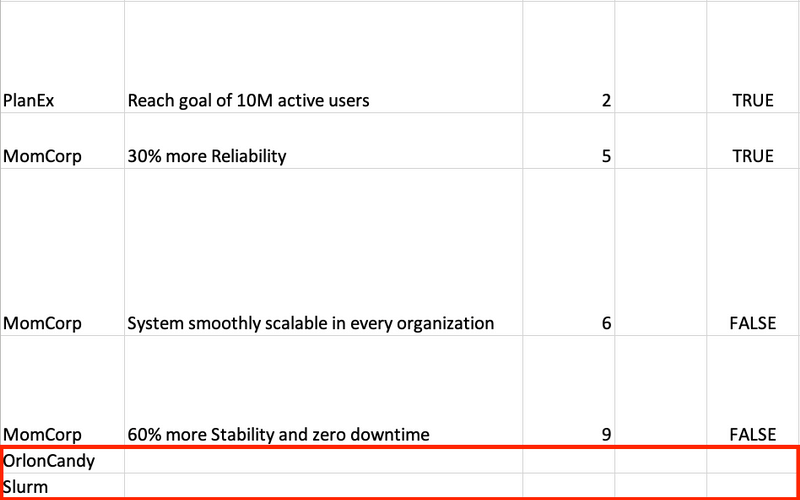
Teams with no Objectives still appear in XLSX extract

Previously, the XLSX excerpt only listed teams that had defined objectives. This meant that there was no overview of which teams had not defined any objectives during PI Planning. This is different now. Now you also see the teams without defined objectives.
Aug 16th, 2020

Teams with no Objectives still appear in XLSX extract

Previously, the XLSX excerpt only listed teams that had defined objectives. This meant that there was no overview of which teams had not defined any objectives during PI Planning. This is different now. Now you also see the teams without defined objectives.
Aug 16th, 2020

Clearer distinction of mirrored and default sticky types

We have clearly separated the sticky types that can be created on a board and those that can be mirrored to this board. This also makes it easier to understand how the board is set up.
Aug 12th, 2020

Clearer distinction of mirrored and default sticky types

We have clearly separated the sticky types that can be created on a board and those that can be mirrored to this board. This also makes it easier to understand how the board is set up.
Aug 12th, 2020

Microsoft Azure Devops

We have now officially released the synchronization between Microsoft Azure DevOps. It is a real-time synchronization with your piplanning app boards. What does this mean? For example, if you create a user story with a summary on the Team Board and enter a Story Point value, this is also reflected in Azure DevOps. Conversely, if you change the iteration in Azure DevOps, for example, it will also be updated in the piplanning app. Find out more and click on "Lean more".
Aug 8th, 2020

Microsoft Azure Devops

We have now officially released the synchronization between Microsoft Azure DevOps. It is a real-time synchronization with your piplanning app boards. What does this mean? For example, if you create a user story with a summary on the Team Board and enter a Story Point value, this is also reflected in Azure DevOps. Conversely, if you change the iteration in Azure DevOps, for example, it will also be updated in the piplanning app. Find out more and click on "Lean more".
Aug 8th, 2020

July Cloud feature overview

Learn in this video what we released in July 2020 for the Cloud piplanning app.
Aug 4th, 2020

July Cloud feature overview

Learn in this video what we released in July 2020 for the Cloud piplanning app.
Aug 4th, 2020

Collaboration canvases

Before someone can use the Collaboration Canvases, you must first configure them for the PI Planning Session. This way you can still avoid chaos and it is really simple to do.
Jul 31st, 2020

Collaboration canvases

Before someone can use the Collaboration Canvases, you must first configure them for the PI Planning Session. This way you can still avoid chaos and it is really simple to do.
Jul 31st, 2020

Collaboration canvases

For a long time we collected feedback and worked on it. Now they are finally here. We call them Collaboration Canvases. As the name suggests, these are interfaces that are flexible for all kinds of collaboration, be it retros, problem solving sessions, Scrum of Scrums, you name it. We already offer a wide range of backgrounds. If you are still missing one, let us know.
Jul 31st, 2020

Collaboration canvases

For a long time we collected feedback and worked on it. Now they are finally here. We call them Collaboration Canvases. As the name suggests, these are interfaces that are flexible for all kinds of collaboration, be it retros, problem solving sessions, Scrum of Scrums, you name it. We already offer a wide range of backgrounds. If you are still missing one, let us know.
Jul 31st, 2020

Webhook performance improvement

We have improved the Webhook performance of the piplanning app by factor five.
Jul 22nd, 2020

Webhook performance improvement

We have improved the Webhook performance of the piplanning app by factor five.
Jul 22nd, 2020

Adjustable sticky size in iteration overview

In the sticky overview on the Team Board you can now adjust the size of the sticky just like the Objectives.
Jul 20th, 2020

Adjustable sticky size in iteration overview

In the sticky overview on the Team Board you can now adjust the size of the sticky just like the Objectives.
Jul 20th, 2020

Create test work items in Rally

With one button press you can now create a test work item in Rally to test if your configured required fields work fine.
Jul 13th, 2020

Create test work items in Rally

With one button press you can now create a test work item in Rally to test if your configured required fields work fine.
Jul 13th, 2020

Release version 2.4

This release includes all the features from previous Cloud releases.
Jul 12th, 2020

Release version 2.4

This release includes all the features from previous Cloud releases.
Jul 12th, 2020

June Clooud feature overview

Learn in this video what we released in June 2020 for the Cloud RTE Cockpit
Jul 8th, 2020

June Clooud feature overview

Learn in this video what we released in June 2020 for the Cloud RTE Cockpit
Jul 8th, 2020

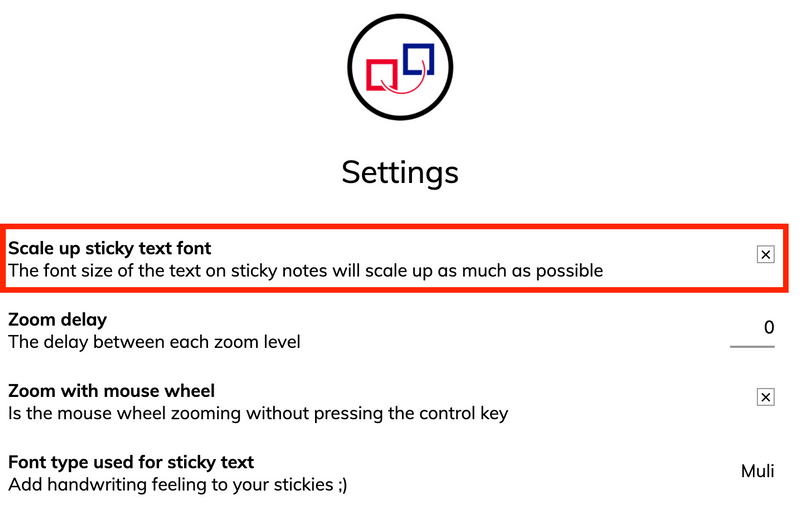
Font scale activated by default

The setting "Scale up sticky text font" is now always automatically activated. That means you can always read the boards comfortably.
Mar 11th, 2020

Font scale activated by default

The setting "Scale up sticky text font" is now always automatically activated. That means you can always read the boards comfortably.
Mar 11th, 2020

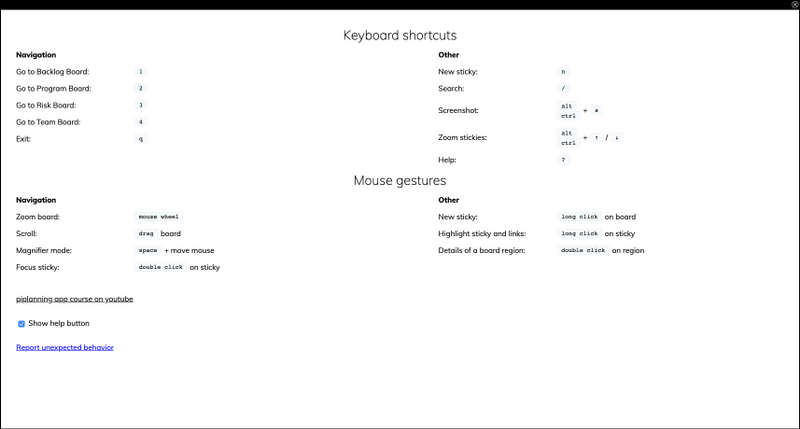
Sticky note magnifier

Hold down the space bar and hover over sticky notes to magnify them. This gives you more options to be able to read what's on your boards.
Feb 28th, 2020

Sticky note magnifier

Hold down the space bar and hover over sticky notes to magnify them. This gives you more options to be able to read what's on your boards.
Feb 28th, 2020

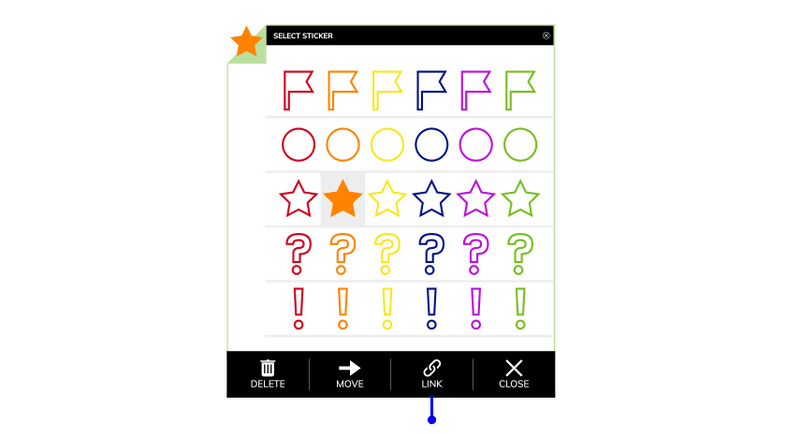
Stickers on sticky notes

Click in the upper left corner of the sticky note to add a sticker and give your sticky note more attention.
Feb 28th, 2020

Stickers on sticky notes

Click in the upper left corner of the sticky note to add a sticker and give your sticky note more attention.
Feb 28th, 2020

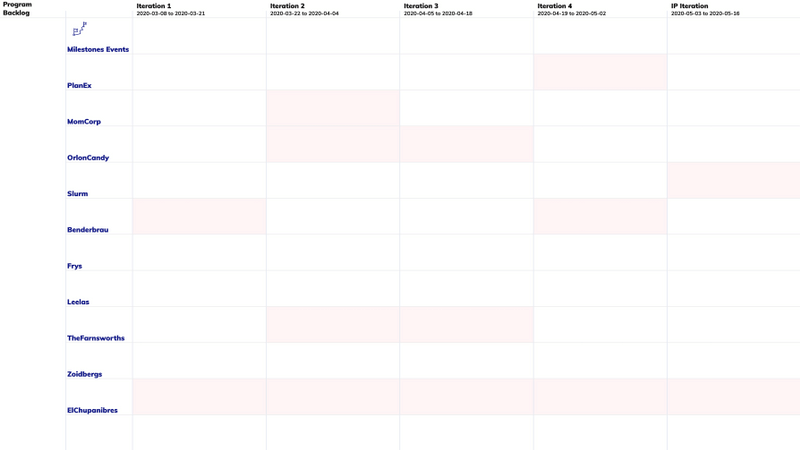
Overload highlighting on Program Board

By default it's now active that you can see on the Program Board which team has an overload in a certain iteration.
Feb 18th, 2020

Overload highlighting on Program Board

By default it's now active that you can see on the Program Board which team has an overload in a certain iteration.
Feb 18th, 2020

Help button

Help button in the upper right corner of your screen shows you all the available short cuts and also a direct link to our video course.
Feb 13th, 2020

Help button

Help button in the upper right corner of your screen shows you all the available short cuts and also a direct link to our video course.
Feb 13th, 2020

SAFe 5.0 – Uncommitted

The piplanning app is now officially SAFe 5.0 compliant. The Stretch Objectives on the Team Boards are now changed to "Uncommitted".
Feb 6th, 2020

SAFe 5.0 – Uncommitted

The piplanning app is now officially SAFe 5.0 compliant. The Stretch Objectives on the Team Boards are now changed to "Uncommitted".
Feb 6th, 2020

Dependency path on Program Board

We added the information of the path a dependency took also to the sticky that is on the Program Board. No need to switch boards anymore to understand which teams initially talked to each other.
Jan 23rd, 2020

Dependency path on Program Board

We added the information of the path a dependency took also to the sticky that is on the Program Board. No need to switch boards anymore to understand which teams initially talked to each other.
Jan 23rd, 2020

Full touchscreen support

The new web-based piplanning app supports large touchscreens. Plan with your fingers!
Jan 16th, 2020

Full touchscreen support

The new web-based piplanning app supports large touchscreens. Plan with your fingers!
Jan 16th, 2020

New animations

We implemented animations for create, delete or remove sticky notes as well as mirror and moving them to other boards.
Dec 22nd, 2019

New animations

We implemented animations for create, delete or remove sticky notes as well as mirror and moving them to other boards.
Dec 22nd, 2019

Select sticky type first

Now when you create a new sticky note the first thing you have to do is select what sticky type you want it to be. After that you can instantly start typing the summary.
Nov 22nd, 2019

Select sticky type first

Now when you create a new sticky note the first thing you have to do is select what sticky type you want it to be. After that you can instantly start typing the summary.
Nov 22nd, 2019

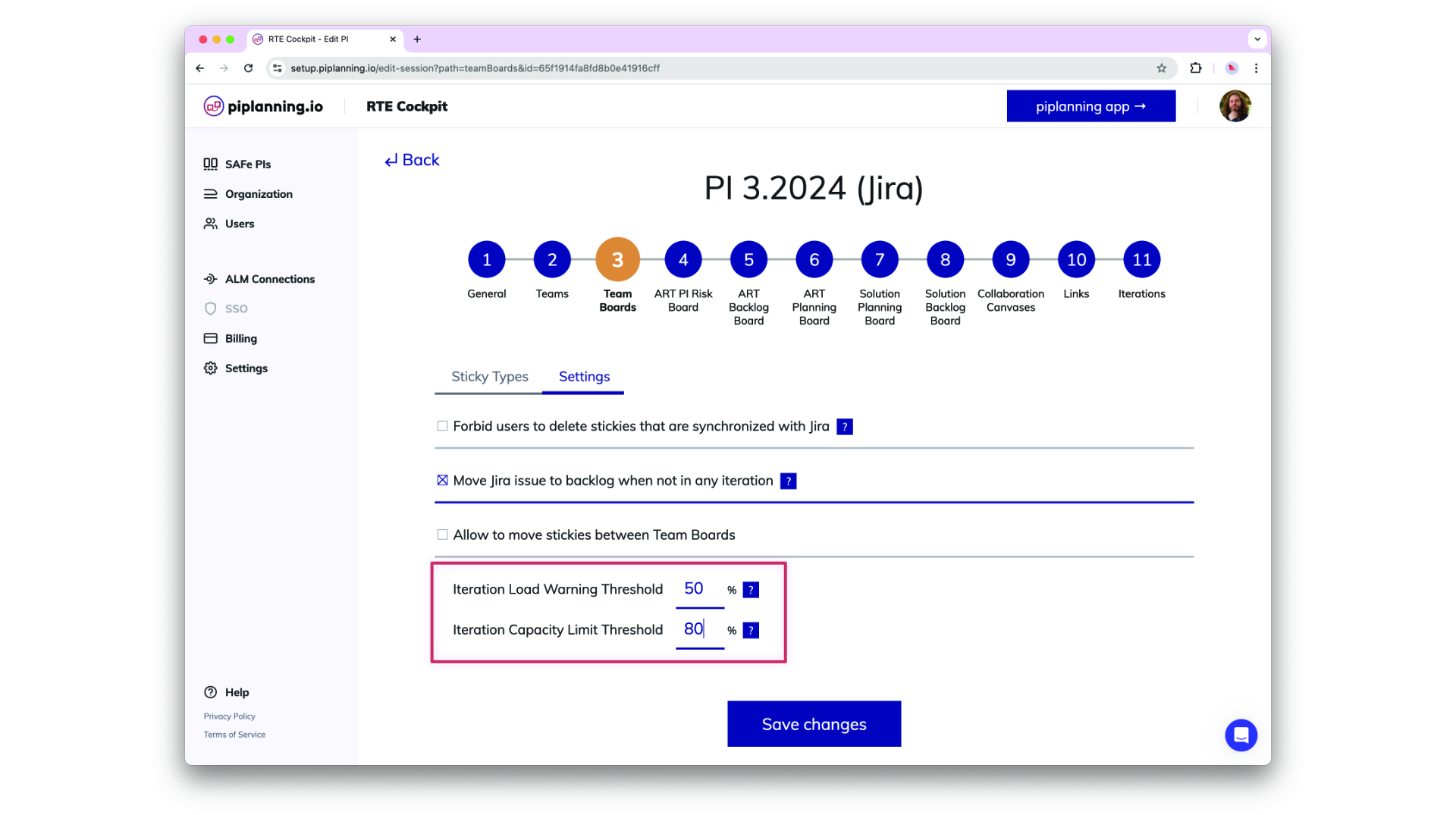
Load Warning and Capacity Limit Threshold

Load Warning and Capacity Limit Theshol are now configurable in the RTE Cockpit under the Team Board configuration
Dec 2nd, 2024

Load Warning and Capacity Limit Threshold

Load Warning and Capacity Limit Theshol are now configurable in the RTE Cockpit under the Team Board configuration
Dec 2nd, 2024

Updated Permissions for PI-Admin Role in ARTs and Solution Trains

PI-Admins can now be assigned to specific ARTs and Solution Trains (STs), extending their permissions to manage teams, ARTs, and STs based on their assignments. This change enhances control over visibility and editing capabilities in the RTE Cockpit. Important: When a user’s role is modified, the system retains their ART/ST associations but adjusts permissions accordingly. Please be aware that this is a breaking change, and further guidance on managing these new permissions will be provided in our documentation.
Nov 6th, 2024

Updated Permissions for PI-Admin Role in ARTs and Solution Trains

PI-Admins can now be assigned to specific ARTs and Solution Trains (STs), extending their permissions to manage teams, ARTs, and STs based on their assignments. This change enhances control over visibility and editing capabilities in the RTE Cockpit. Important: When a user’s role is modified, the system retains their ART/ST associations but adjusts permissions accordingly. Please be aware that this is a breaking change, and further guidance on managing these new permissions will be provided in our documentation.
Nov 6th, 2024

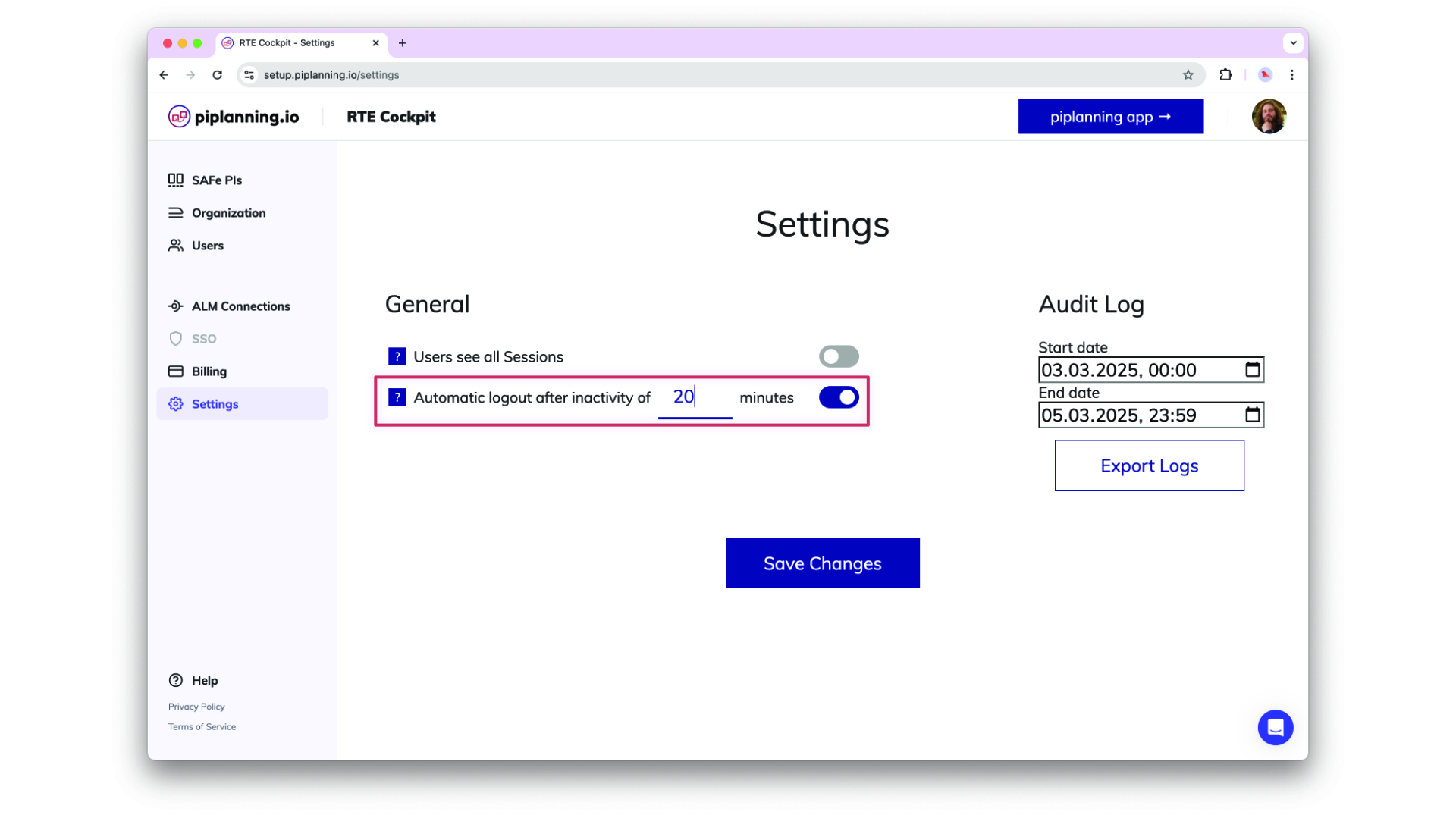
Automatic Logout After Inactivity

Helping organizsations meet compliance needs, admins can optionally adjust an inactivity timeout in the cockpit settings after which users get automatically logged out. This functionality detects mouse and keyboard activity, ensuring that only active sessions remain logged in.
Oct 24th, 2024

Automatic Logout After Inactivity

Helping organizsations meet compliance needs, admins can optionally adjust an inactivity timeout in the cockpit settings after which users get automatically logged out. This functionality detects mouse and keyboard activity, ensuring that only active sessions remain logged in.
Oct 24th, 2024

Enhance ART Backlog Board synch filtering by more fields

ART backlog issues in Jira can now be filtered by additional field types beyond labels, these are FixVersion, Component, Single-select (customfield), and Multi-select (customfield). This does simplify your configuration and providing greater flexibility in synchronizing your ART backlog.
Sep 18th, 2024

Enhance ART Backlog Board synch filtering by more fields

ART backlog issues in Jira can now be filtered by additional field types beyond labels, these are FixVersion, Component, Single-select (customfield), and Multi-select (customfield). This does simplify your configuration and providing greater flexibility in synchronizing your ART backlog.
Sep 18th, 2024

Map Microsoft Azure AD Groups to Teams with OIDC

You can now setup your team by mapping Microsoft Azure AD groups directly to teams using OIDC. This feature allows for efficient team management and synchronization with your organization's AD structure, making user and team onboarding quicker and more consistent.
Sep 3rd, 2024

Map Microsoft Azure AD Groups to Teams with OIDC

You can now setup your team by mapping Microsoft Azure AD groups directly to teams using OIDC. This feature allows for efficient team management and synchronization with your organization's AD structure, making user and team onboarding quicker and more consistent.
Sep 3rd, 2024

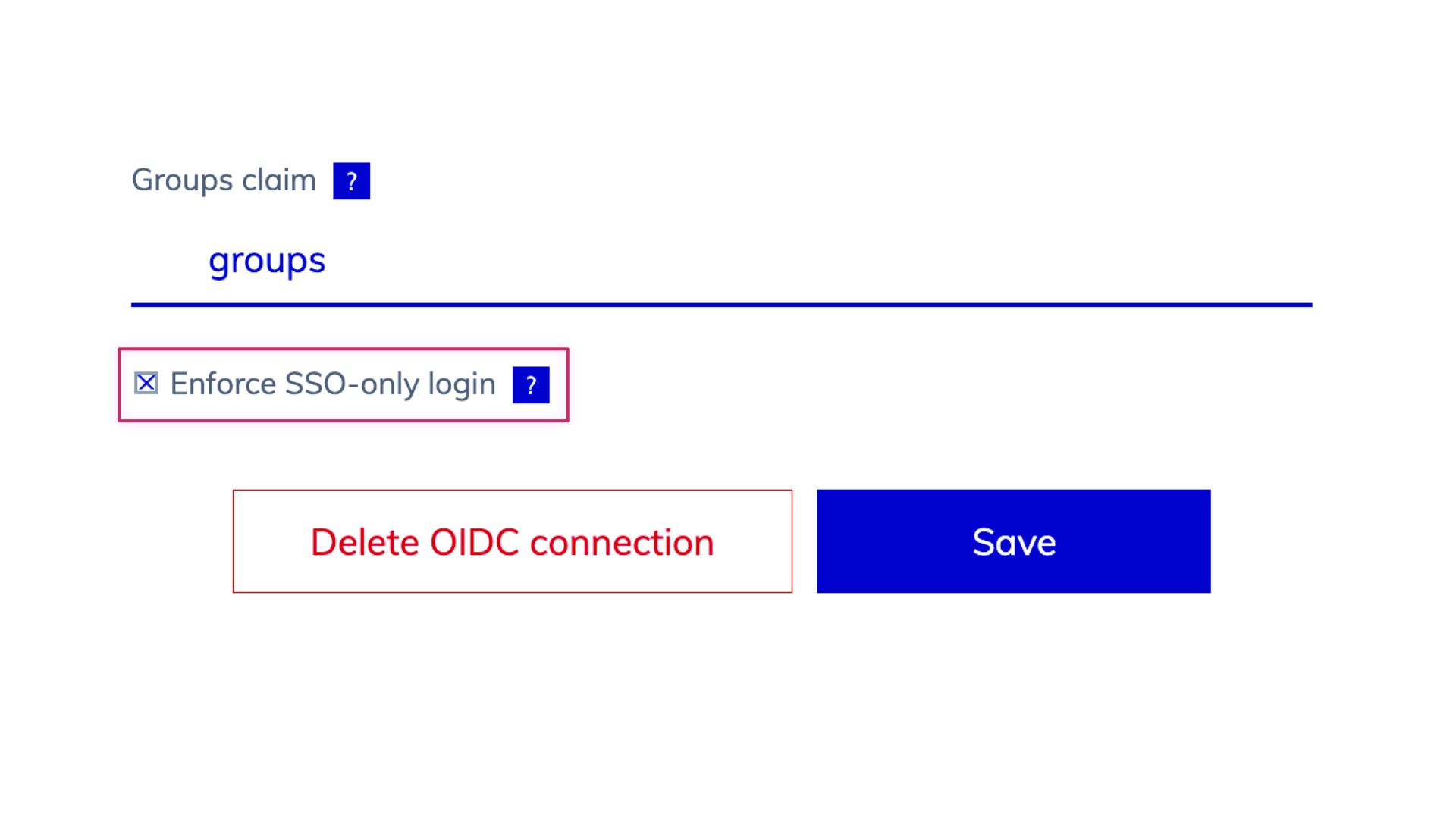
Enhanced SSO-Only Mode and Login Flexibility

We’ve updated the login behavior for environments with SSO enabled. When SSO-only is active, username and password options are hidden, and user management is streamlined, allowing admins to add users via team assignments but removing password reset options. When SSO is off, login fields for username and password, password resets, and user invitations via email are available, offering greater flexibility in user management.
Aug 25th, 2024

Enhanced SSO-Only Mode and Login Flexibility

We’ve updated the login behavior for environments with SSO enabled. When SSO-only is active, username and password options are hidden, and user management is streamlined, allowing admins to add users via team assignments but removing password reset options. When SSO is off, login fields for username and password, password resets, and user invitations via email are available, offering greater flexibility in user management.
Aug 25th, 2024

Support for ADO XML Process Templates

piplanning.io now supports Azure DevOps (ADO) instances (on-prem) using XML process templates, enabling seamless bidirectional sync of work item statuses. By refining the integration to exclude unused properties like custom rules, this update improves compatibility with XML process templates while maintaining clear logging of any API errors due to custom rules for admin visibility in ALM Events.
Aug 14th, 2024

Support for ADO XML Process Templates

piplanning.io now supports Azure DevOps (ADO) instances (on-prem) using XML process templates, enabling seamless bidirectional sync of work item statuses. By refining the integration to exclude unused properties like custom rules, this update improves compatibility with XML process templates while maintaining clear logging of any API errors due to custom rules for admin visibility in ALM Events.
Aug 14th, 2024

User Data Export for Compliance

Admins can now export a comprehensive list of all users within their company as an XLSX or CSV file. The export includes user details such as ID, email, name, role, teams, last login, and SSO linkage, supporting compliance needs with easy access to user data.
Aug 12th, 2024

User Data Export for Compliance

Admins can now export a comprehensive list of all users within their company as an XLSX or CSV file. The export includes user details such as ID, email, name, role, teams, last login, and SSO linkage, supporting compliance needs with easy access to user data.
Aug 12th, 2024

Involved teams on dependencies in xlsx export

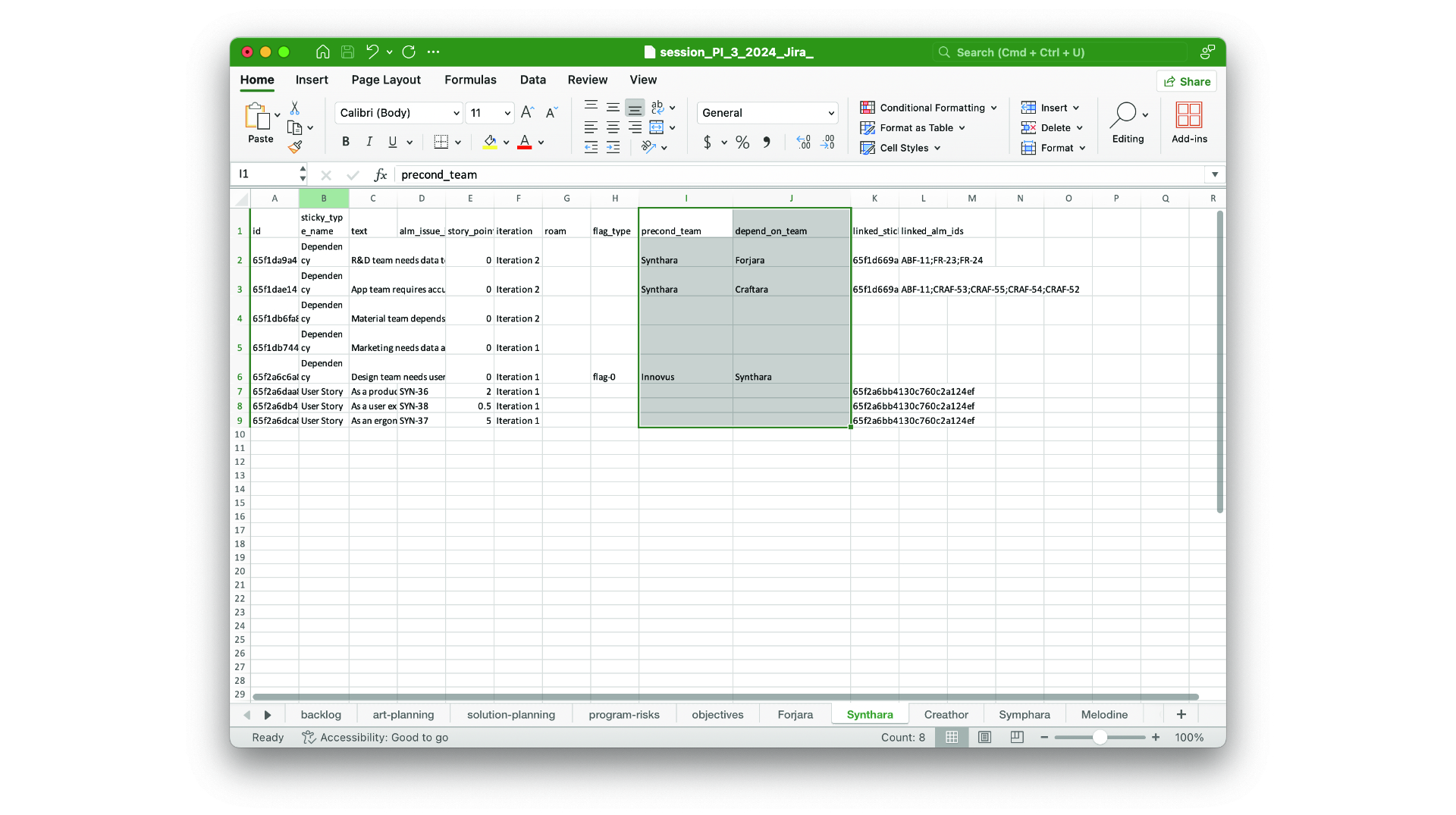
The precond-team and depend-team you add on dependencies are now part of the xlsx session export.
Aug 7th, 2024

Involved teams on dependencies in xlsx export

The precond-team and depend-team you add on dependencies are now part of the xlsx session export.
Aug 7th, 2024

ART-Level Team Sync with Rally

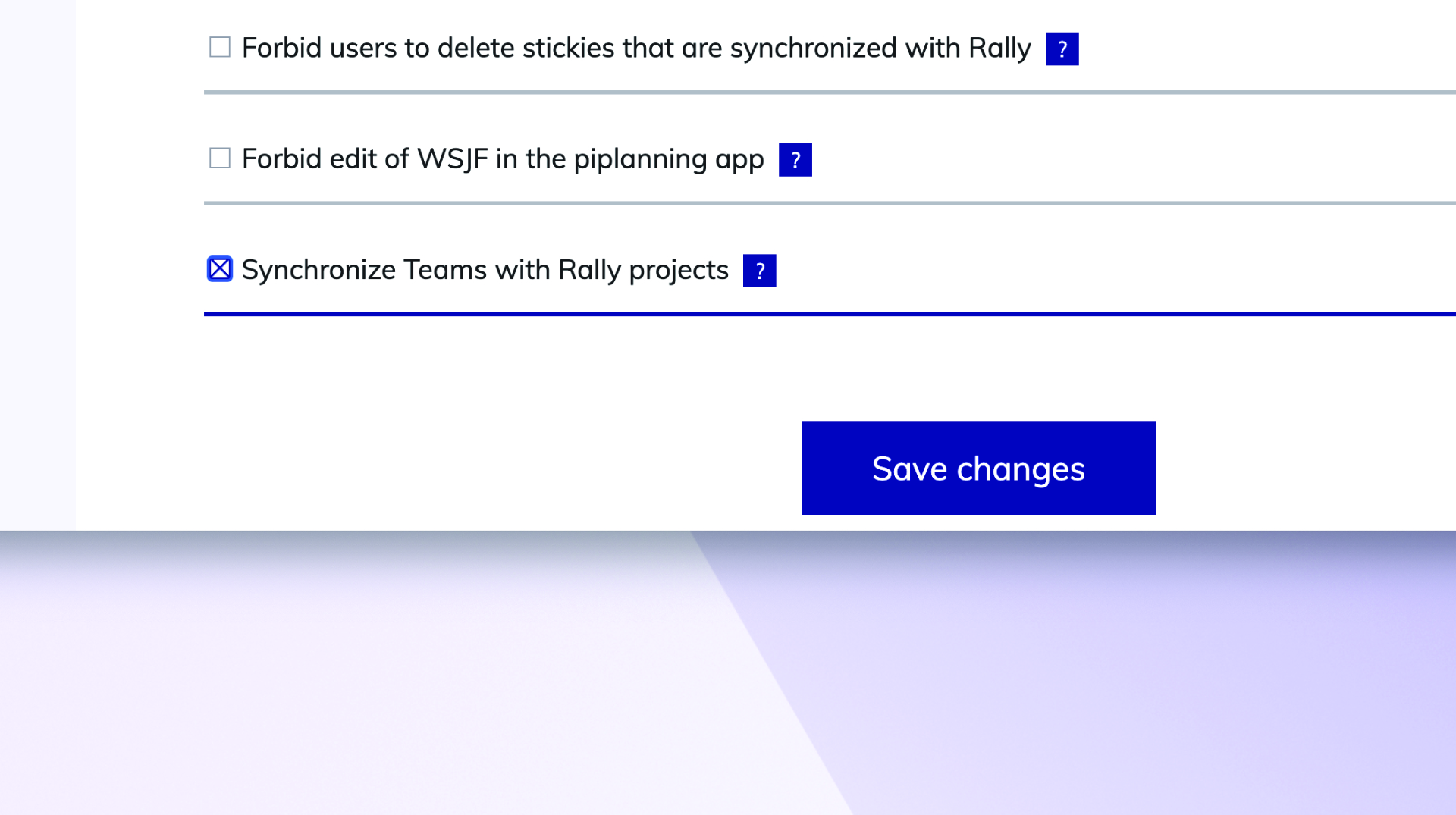
You can now synchronize the team-field (project) between Rally and piplanning.io ART-level sticky notes.
Jun 26th, 2024

ART-Level Team Sync with Rally

You can now synchronize the team-field (project) between Rally and piplanning.io ART-level sticky notes.
Jun 26th, 2024

Release version 2.18.0

This release includes all the features from previous Cloud releases.
Nov 20th, 2024

Release version 2.18.0

This release includes all the features from previous Cloud releases.
Nov 20th, 2024

Release version 2.17.0

This release includes all the features from previous Cloud releases.
Jun 25th, 2024

Release version 2.17.0

This release includes all the features from previous Cloud releases.
Jun 25th, 2024

Release version 2.16.0

This release includes all the features from previous Cloud releases.
May 16th, 2024

Release version 2.16.0

This release includes all the features from previous Cloud releases.
May 16th, 2024

Release version 2.15.0

This release includes all the features from previous Cloud releases.
Feb 6th, 2024

Release version 2.15.0

This release includes all the features from previous Cloud releases.
Feb 6th, 2024

Release version 2.14.0

This release includes all the features from previous Cloud releases.
May 24th, 2023

Release version 2.14.0

This release includes all the features from previous Cloud releases.
May 24th, 2023

Release version 2.12

This release includes all the features from previous Cloud releases.
Feb 16th, 2022

Release version 2.12

This release includes all the features from previous Cloud releases.
Feb 16th, 2022

Release version 2.11

This release includes all the features from previous Cloud releases.
Dec 28th, 2021

Release version 2.11

This release includes all the features from previous Cloud releases.
Dec 28th, 2021

Release version 2.10

This release includes all the features from previous Cloud releases.
Nov 17th, 2021

Release version 2.10

This release includes all the features from previous Cloud releases.
Nov 17th, 2021

Release version 2.9

This release includes all the features from previous Cloud releases.
Jul 7th, 2021

Release version 2.9

This release includes all the features from previous Cloud releases.
Jul 7th, 2021

Release version 2.3

This release includes all the features from previous Cloud releases.
May 19th, 2021

Release version 2.3

This release includes all the features from previous Cloud releases.
May 19th, 2021